For B2B Service Providers
Find companies showing the problem in their own words.
If you sell a B2B service, your best leads are often the people posting about a problem, asking for recommendations, or engaging with expert conversations. Signado turns those LinkedIn moments into warm leads your team can review and contact.
Start FreeSound familiar?
Cold databases give you names, but not why this week is the right time to reach out.
Your buyer may not search for your exact service name. They write about symptoms, projects, hiring needs, advice, and broken workflows.
Your team knows good LinkedIn context when they see it, but finding it every day is manual work.
You need enough context to write a relevant first message without spending 20 minutes per prospect.
Your week, before and after
Filter a contact database and hope the timing is right
Track keywords that match buyer problems and find the person posting or engaging
Write a generic opener because the list has no context
Reference the post, comment, keyword, creator, competitor, or company event that surfaced the lead
Treat every market the same
Use Post authors for direct needs and Post engagers for people interested in the topic
Manually check LinkedIn when there is time
Review a daily feed of warm leads scored against your ICP
See it for yourself. Free to start, no credit card.
Start FreeHow it works for B2B Service Providers
From ICP setup to an outreach message that references the LinkedIn post, comment, or company event.
Two ways to find warm leads
Use Post authors when your keyword points to a need now. Use Post engagers when a keyword, creator, or competitor attracts the audience you want.
Keywords based on what buyers say
Your keyword is not your internal service label. It is the phrase your buyer writes: looking for advice, recommendations, hiring, migration, broken process, contractor, vendor, audit.
Same feed, same credits
Post authors and post engagers land in the same warm-leads feed. Same ICP scoring, same enrichment, same 3-credit cost per new discovered lead.
Campaign copy with context
The AI draft can reference their post, their comment, or a company event from Deep Dive. You approve every message before it sends.
Works with Instantly, HeyReach, and CSV export for any other tool. Smartlead and Lemlist on the roadmap.
Daily warm leads
Start with one keyword that sounds like buyer language. Choose Post authors if it points to a direct need, or Post engagers if it points to a market conversation. Add creators and competitors when you want the audience around the topic. Review the warm-leads feed daily and push the best leads to campaign.
Also works: Deep Dive
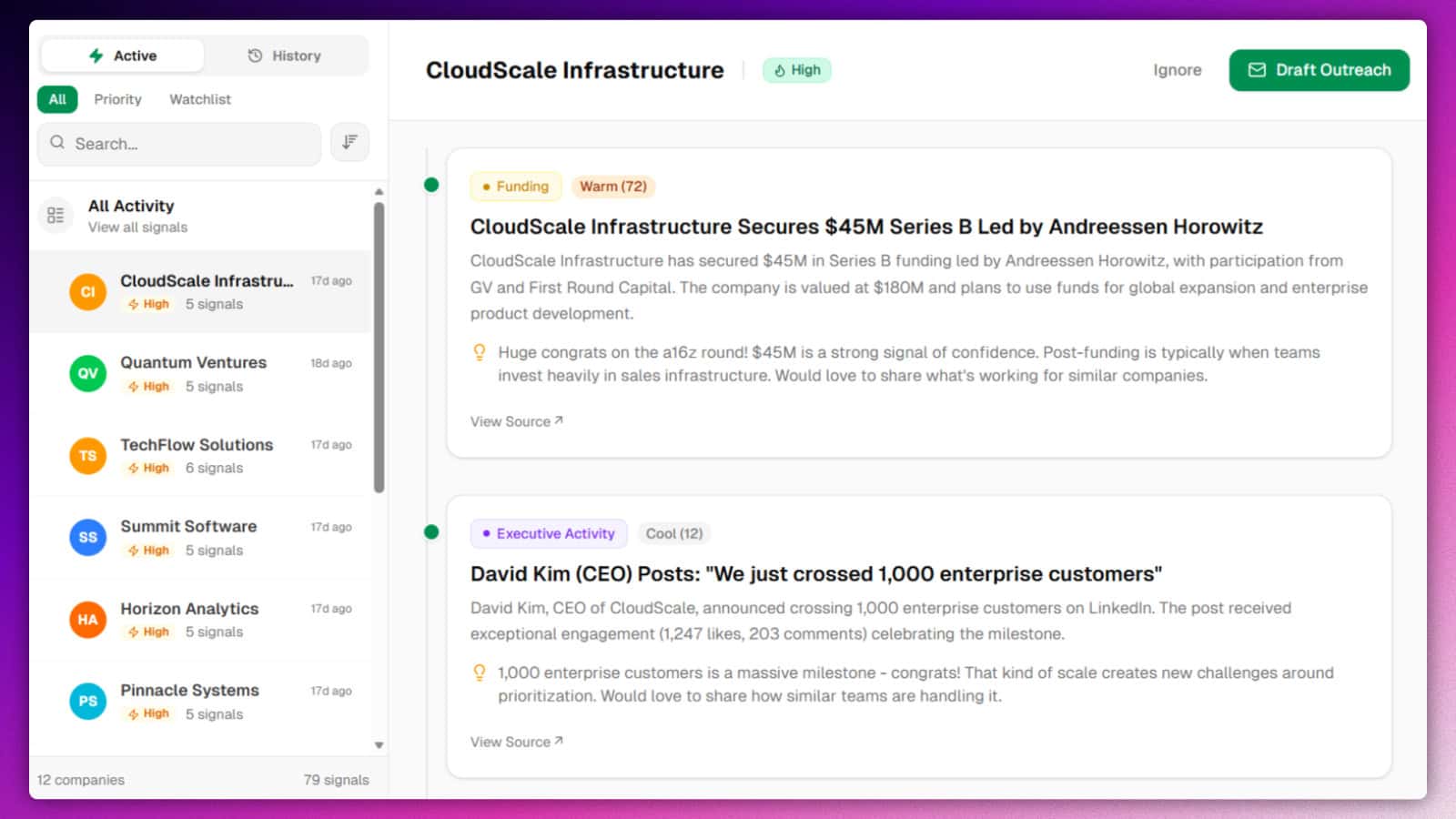
When a lead looks promising, use Deep Dive to check the company for funding, hiring, leadership changes, news, product launches, partnerships, and executive posts. That gives the AI more context for the opener.
Questions from B2B Service Providers
How do I know whether to choose Post authors or Post engagers?
What if my buyers do not use my service name?
Can I use both modes?
Does this replace my contact database?
What happens after I find a lead?
Find the people already showing the problem
Add one buyer-language keyword and test Post authors or Post engagers. Free to start.
Start FreeNo credit card required. Discovery results can arrive within hours.