How It Works
From LinkedIn source to warm lead, step by step
Tell Signado who you sell to, add keywords, creators, competitors, posts, and job titles, review the leads that arrive every morning. Then reach out with something relevant to say.
See the complete guide to getting clients from LinkedIn.
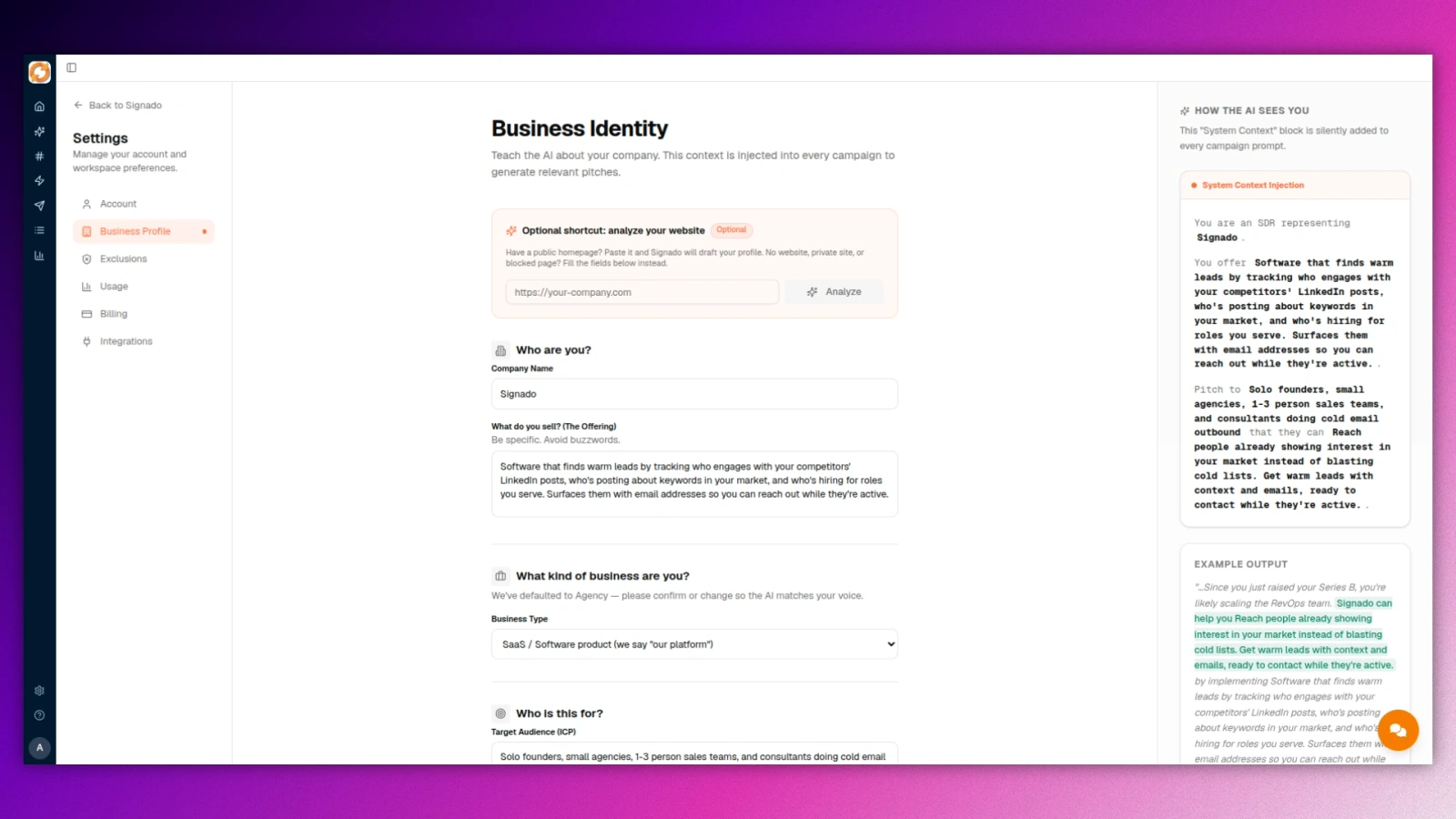
Tell Signado who you sell to
Your business, your ideal clients, what you offer. Paste your website URL and Signado fills in most of it. Two minutes. This profile powers every match score and every message you send.
What this step does
- Auto-fill from your website URL in seconds
- Edit any time from your business profile
- Powers every match score and AI-written message
Add keywords, creators, competitors, posts, and job titles
Sources tell Signado where to look: keywords your buyers use, creators they follow, competitors they engage with, a single post full of them, or a job title companies are hiring for. Choose the one that matches how your buyers behave. One source is enough to start.
What this step does
- Choose a keyword, creator, competitor, one post URL, or a job title
- Preview any source for 1 credit before it spends more
- Activate, pause, or swap sources any time
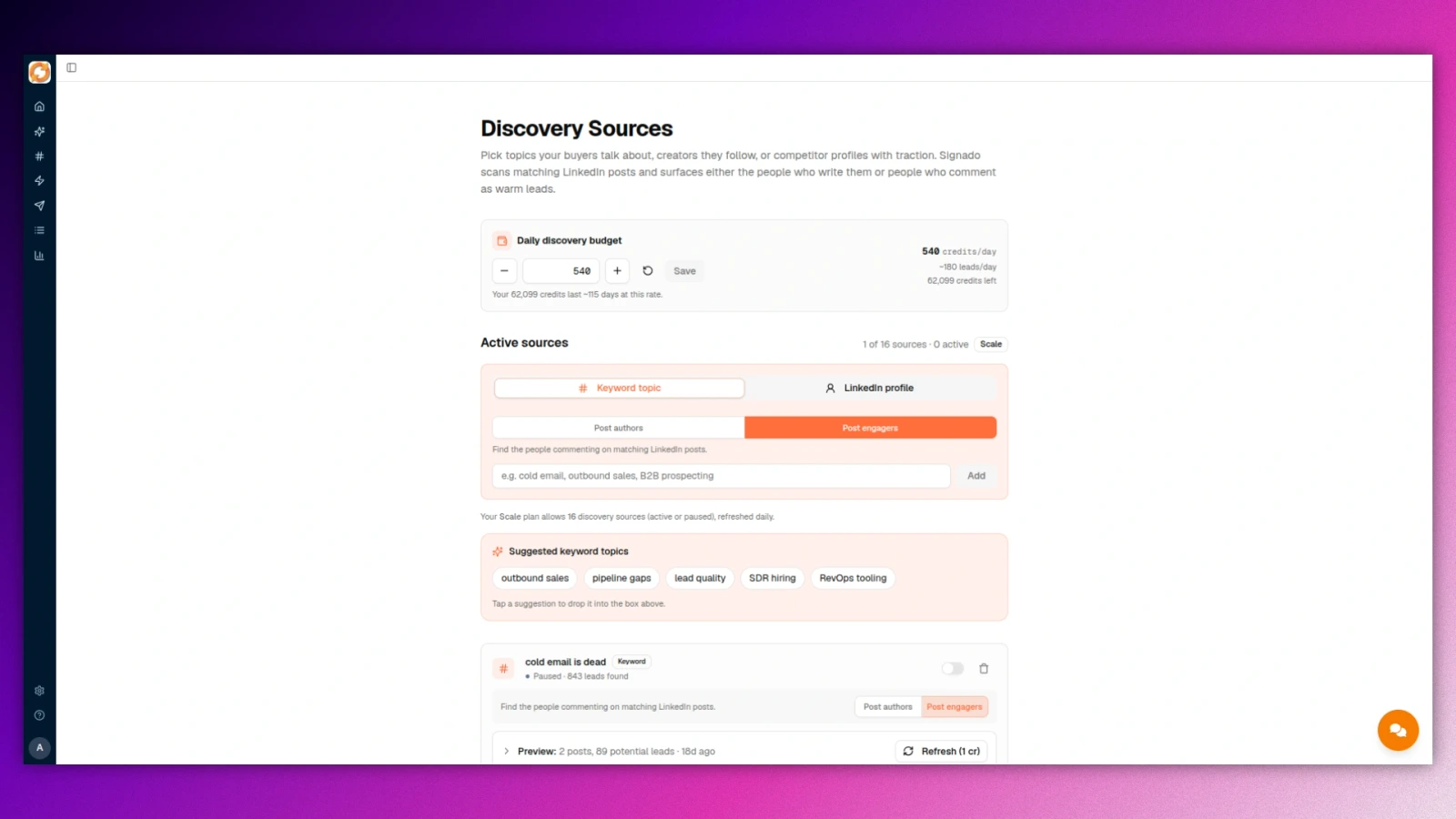
Choose where Signado should look
Select a source type to see what it finds and when to use it. You only need one to start.
Find people posting about the problem you solve
Add a keyword and choose Post authors. Signado finds the people writing LinkedIn posts that match it.
Examples
- “We’re hiring a marketing agency. Recommendations?”
- “Looking for a web developer for a rebuild. Any leads?”
Use this when
The person writing the post is your buyer.
Warm leads arrive daily
Discovery runs every day from each active source, within a daily credit budget you set. A post from yesterday is worth a message today. A post from three weeks ago is usually old news.
What this step does
- Daily runs, not weekly batches
- You set a daily credit budget, so discovery never spends more than you allow
- Post authors and post engagers land in the same feed
- Every lead arrives enriched with title, company, and profile data
- Every lead lands with a match score from 0 to 100 and a one-sentence reason
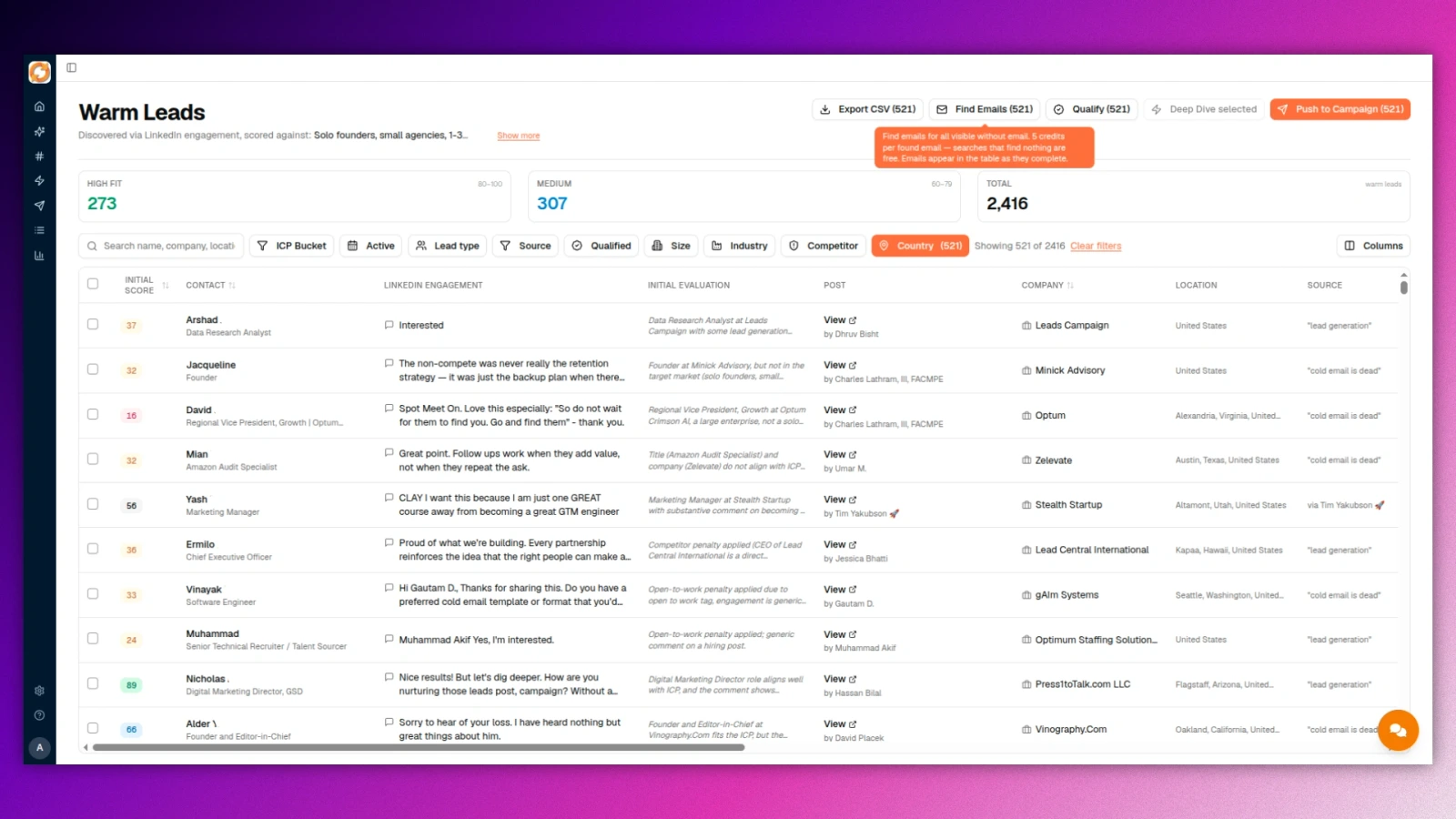
Find the email or go deeper
Every warm lead already has company context and one company-aware score. When you are ready to reach out, Signado finds the lead's work email and only charges when one is found. Deep Dive goes further: 7 company events across up to 12 months of history, from funding rounds and hiring activity to leadership changes, executive posts, product launches, partnerships, and company news.
What this step does
- Email finder is charged only when an email is found (5 credits)
- Company summary, offer, size, industry, target market, website, and competitor status arrive automatically
- Deep Dive covers 7 company event types, on demand, one click per account
- The AI uses that company context in the opener automatically
Review and send
Every AI-written opener lands in a spreadsheet view. Regenerate a line, tweak the tone, edit inline. When you're ready, send straight from Gmail or Google Workspace, push to Instantly or HeyReach, or webhook to Zapier, Make, or n8n. CSV export for everything else. No lock-in.
What this step does
- Spreadsheet review with one-click regenerate
- The AI references what the lead actually said, without parroting it back word for word
- Send via Gmail, Instantly, HeyReach, or your own SMTP
- Webhook to Zapier, Make, n8n, or any custom destination
- CSV export for everything else
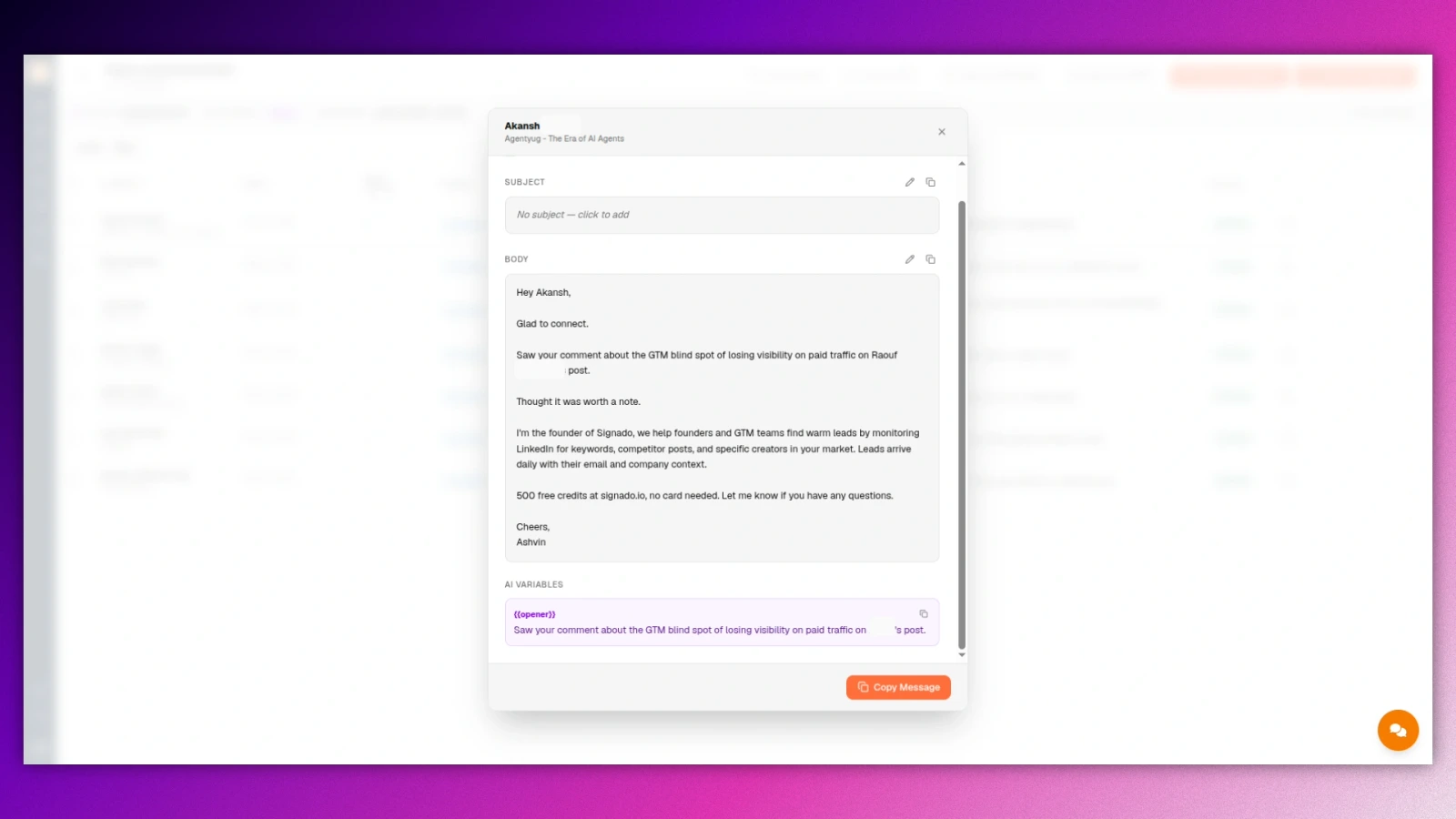
Send from your inbox or push to your tools
Signado gets the lead, email, score, and AI message ready. You review the message, then choose the route that fits your workflow.

Gmail / Google Workspace
Send from your connected inbox after approval. Replies land where your team already works.
Custom SMTP
Use any SMTP inbox when Gmail is not the sender. Your domain stays in the flow.

Instantly
Push the lead, verified email, and approved message into an Instantly campaign.

HeyReach
Push the LinkedIn lead to HeyReach when the next step is LinkedIn outreach.
CSV export
Download the lead, score, fit reason, email, and message for spreadsheets or another tool.
Webhook
Send the approved payload to Zapier, Make, n8n, or your own endpoint.
No LinkedIn login. Nothing to get your account restricted
Signado never logs into your LinkedIn account. No browser extension, no automation running on your profile, no connection request bots. You reach out from your own inbox or your own tools.
Every action has a credit price you can see
You pay per lead found. A scheduled scan that brings you nobody costs 1 credit. Storing contacts and viewing your data are always free.
Includes discovery, person enrichment, company qualification, and one company-aware score. Charged for post authors, commenters, reactors, and Hiring leads alike.
Even when your exclusions removed everyone it found. Run once and a source's first scan never pay it, and neither does a scan that fails on our side or that you stop while it is still searching.
Charged only when an email is found. If nothing turns up, the credits come back automatically.
One personalized draft referencing what the lead actually posted or commented.
7 company event types across up to 12 months of history, on demand.
Every paid plan includes a 7-day free trial with the chosen plan's full credits and features. Cancel anytime. Run your own numbers on the pricing page.
Common questions before getting started
Does Signado log into my LinkedIn account?
No. There is no LinkedIn login, no browser extension, and no automation running on your profile. Signado finds people through public posts and comments, and you send from your own inbox or your own tools. Nothing touches your account.
Do I need a contact list to start?
No. Signado finds people from live LinkedIn conversations, so you can start from zero. If you already have lists from Apollo, Clay, or CSV, import them too. Both work side by side.
What does a warm lead cost?
A new warm lead costs 5 credits, including discovery, enrichment, company qualification, and scoring. A scheduled scan that brings you nobody costs 1 credit, even when your exclusions removed everyone it found. When it brings you people, you pay only for them: 5 credits per new lead, 1 credit per person already in your leads. Run once and a source's first scan never pay a scan fee. A scan that fails on our side, or that you stop while it is still searching, costs nothing. Finding an email costs 5 credits and is refunded when no email is found. A Deep Dive costs 40 credits. Choose any paid plan for a 7-day free trial with that plan's full credits and features. Cancel anytime.
Should I pick Post authors or Post engagers?
Post authors when the person writing the post is your buyer, like someone posting that they are hiring an agency. Post engagers when the topic attracts your buyers, like people commenting under posts about the problem you solve. You can run both from the same keyword.
Can I pull the people who engaged with one specific post?
Yes. Paste the post URL, choose commenters, reactors, or both, and Signado runs it once on demand. Each person arrives scored against what you offer, like any other lead. It works on any public post, including ones you did not write.
Can Signado find companies that are hiring?
Yes. Add a Hiring source with a job title, up to two other names for the same role, and a country or Anywhere. Signado finds companies posting LinkedIn jobs for that role, scores each one against your business, and shows who posted the job or helps you find the right person. A scheduled Hiring scan that brings you no lead costs 1 credit, even when your exclusions removed every job it found. When it brings you leads, you pay only for them: 5 credits per lead. Run once and a source's first scan never pay a scan fee. A scan that fails on our side, or that you stop while it is still searching, costs nothing.
How fast will I see results?
The first scan starts within minutes of activating a source. If matching conversations exist, leads can land in that first run. From there, discovery runs every day and adds new leads as fresh engagement appears.
What if my first sources aren’t pulling great leads?
Swap them. You can pause, replace, or preview sources any time, and a preview costs 1 credit. Most people find their best sources in the first week of trying things.
Want more detail?
This page covers the whole flow. These go deeper on each part.
Help Center
Step-by-step guides for every feature.
Read moreWarm lead examples
See what actually lands in your feed.
Read moreTwo ways to use Signado
Daily company-aware leads and on-demand Deep Dive, end to end.
Read moreRun it from your AI tools
Signado works from Claude Code and Codex over MCP.
Read more