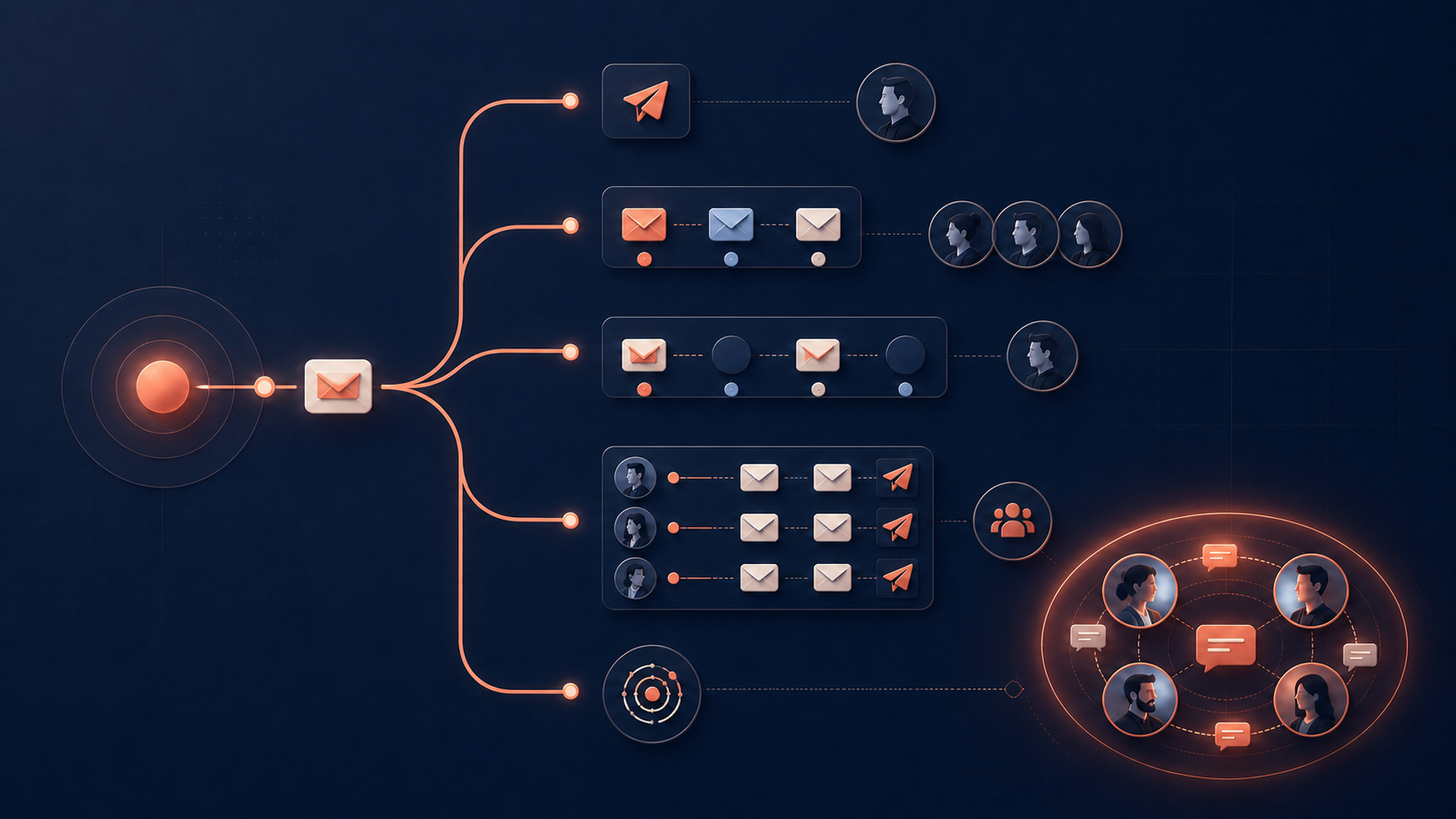
TLDR: Pick Waalaxy for cheap solo LinkedIn outreach, Dripify for guided small-team sequences, Signado when campaigns send but replies stay low, Expandi for per-account cloud control, Lemlist when email leads, La Growth Machine for LinkedIn, email and calls together, and Linked Helper for the lowest software bill. Keep HeyReach for many sender accounts.
The best HeyReach alternative is the one that fixes the reason you're leaving. Name that reason first, because each tool below fixes a different one.
HeyReach is built for agencies and outbound teams running several LinkedIn sender accounts. Its value is central control: one inbox, sender rotation, client workspaces, and campaign management across accounts.
That makes it a poor benchmark for every buyer. A founder with one LinkedIn account may pay for an agency setup they don't need. A team that wants email-first sequences may need a stronger multichannel tool. A campaign that sends fine but gets ignored may need better prospects, and another sender won't supply them.
This guide compares seven HeyReach alternatives by the problem they solve. Every price comes from the vendor's own pricing page, checked in October 2026.
Quick comparison of the best HeyReach alternatives
| Tool | Use it when | Starting price (checked October 2026) | Main limit |
|---|---|---|---|
| Waalaxy | One person needs simple, low-cost LinkedIn outreach | €19 per user/month on yearly billing | Pro caps invitations at 300 a month |
| Dripify | A small team wants guided sequences and reporting | $59 per user/month ($39 on annual billing) | Basic runs one campaign with limited daily quotas |
| Signado | Messages get delivered but replies stay low | $29/month per workspace | Pairs with your sender for multi-account LinkedIn sequences |
| Expandi | You want cloud campaigns with per-account controls | $99 per account/month ($79 on annual billing) | The bill climbs with every account you add |
| Lemlist | Email is the main channel | $69/month with unlimited users ($55 yearly) | LinkedIn steps need Multichannel at $109 per user |
| La Growth Machine | LinkedIn, email, and calls belong in one sequence | €60 per identity/month (€50 yearly) | Calls start on Pro at €120 per identity |
| Linked Helper | Software cost is the main constraint | $15 per account/month | Desktop software, so the computer must stay on |
The table separates sending problems from list problems. Six of these tools send outreach in a different way. Signado changes who enters the campaign and why the message is timely.
What is HeyReach?
HeyReach is a cloud LinkedIn automation tool for agencies and teams that send from many LinkedIn accounts. One campaign can rotate across several sender accounts, and every reply lands in one shared inbox. You pay per LinkedIn sender, not per person, so teammates, virtual assistants, and clients cost nothing. Its pricing page says more than 7,000 companies use it.
The Growth plan includes unlimited campaigns, connection requests, messages, voice notes, profile views, the unified inbox, client workspaces, API access, webhooks, and an MCP server for AI agents. Email runs through native integrations with Instantly and Smartlead, not inside HeyReach.
HeyReach pros and cons
HeyReach is strong when you run many accounts:
- One inbox holds replies from every sender, and teammates can answer on each other's behalf.
- Sender rotation spreads one campaign across many LinkedIn accounts.
- Adding teammates, assistants, or clients costs nothing, because you pay per sender.
- The price per sender falls with volume, to $59 from 10 senders and about $40 on the 25-sender Agency plan.
- It connects to Clay, HubSpot, Instantly, Smartlead, Make, and Zapier.
- The Growth trial runs 14 days with up to three LinkedIn accounts and no card.
The weak spots show up when your setup is smaller or your problem sits somewhere else:
- One or two accounts cost $79 each a month, for agency features you may never use.
- Email needs a second tool and a second bill.
- Reviewers report slow support on urgent issues (examples below).
- Results still depend on the list you feed it. HeyReach can deliver a message to a cold list, but it can't make that list care.
- LinkedIn's User Agreement bans automation software, and HeyReach itself says "There is no approved outreach automation tool."
How much does HeyReach cost?
HeyReach Growth costs $79 per sender a month for one to nine senders and $59 per sender from 10. Agency costs $999 a month for 25 senders or $1,399 for 50. Unlimited costs $2,999. Quarterly billing takes 10% off and yearly billing takes 20% off.
HeyReach's pricing page lists these plans (checked October 2026):
| Plan | Monthly billing | Quarterly | Yearly |
|---|---|---|---|
| Growth, 1 to 9 senders | $79 per sender/month | $71 | $63 |
| Growth, 10 or more senders | $59 per sender/month | $53 | $47 |
| Agency, 25 senders | $999/month | $899 | $799 |
| Agency, 50 senders | $1,399/month | $1,259 | $1,119 |
| Unlimited, capped at 300 senders | $2,999/month | $2,699 | $2,399 |
Growth gives each sender a dedicated residential proxy and 100 enrichment credits, a one-time allocation to get you started. Agency adds 1,000 enrichment credits, white-label branding, done-for-you onboarding, and a Slack channel, but you bring your own proxies. HeyReach also runs a discounted early-stage program for companies under $250,000 in annual recurring revenue with fewer than five people.
The important unit is the sender. One sender costs $79 on monthly billing. Ten Growth senders cost $590, because the rate drops to $59 at 10. From 17 senders, the 25-sender Agency plan is cheaper than Growth (17 × $59 = $1,003).
Calculate your cost at today's account count and the count you expect in six months. A cheap single seat can get expensive across clients. A large agency plan can be wasteful for one founder.
What a team of three pays in year one
Three people, each sending from their own LinkedIn account, is a common setup for a small agency or consultancy. Here is the software bill for year one at list prices. These are estimates. They leave out tax, proxies, Sales Navigator, and any email tool you add.
| Tool | Plan for three people | Year one (estimate) | How we got it |
|---|---|---|---|
| HeyReach | Growth, 3 senders | $2,268 to $2,844 | 3 × $63 × 12 on yearly billing, or 3 × $79 × 12 monthly |
| Expandi | Business, 3 seats | $2,844 to $3,564 | 3 × $79 × 12 on annual billing, or 3 × $99 × 12 monthly |
| Dripify | Pro, 3 users | $2,124 to $2,844 | 3 × $59 × 12 on annual billing, or 3 × $79 × 12 monthly |
| Linked Helper | Pro, 3 licenses, local storage | $891 to $1,620 | 3 × $297 for a 12-month license, or 3 × $45 × 12 monthly |
| Signado | Growth, one shared workspace | $1,188 | $99 × 12, one workspace for all three people |
Two things stand out. The per-seat tools land between about $2,100 and $3,600, so price alone rarely justifies a migration at three accounts. And Signado's bill stays flat as the team grows, because you pay per workspace. Messages go out from Gmail, a LinkedIn DM, or the sender you already use.
Why do people look for a HeyReach alternative?
Four reasons come up again and again: paying per sender for only one or two accounts, needing email inside the same campaign, slow support on urgent issues, and campaigns that send fine but get few replies. Since March 2026, account risk joined the list after LinkedIn removed HeyReach's own company page.
You only manage one or two LinkedIn accounts
HeyReach's shared inbox, rotation, workspaces, and agency controls solve coordination. A solo user doesn't need much coordination. Waalaxy, Dripify, or Linked Helper can run the same basic sequence for less money and with less setup.
Your campaign needs more than LinkedIn
HeyReach connects with Instantly and Smartlead, but some teams want email designed inside the same campaign product. Lemlist and La Growth Machine put multichannel execution at the center of the workflow.
You want a different operating model
Expandi gives each LinkedIn account a cloud campaign environment with a dedicated IP and warm-up controls. Linked Helper is desktop software that runs on your own computer or a server you control, so your LinkedIn session stays on that machine. The right setup depends on who operates the accounts and how much control they need.
Support and reliability complaints
Most negative reviews are about support speed and campaigns that don't behave. On Trustpilot, where HeyReach scores 4.0 from 51 reviews, a two-year customer wrote that it "takes 24 to 48 hours to get a response, even for urgent issues" and that they had already moved a few clients to other platforms. A critical review on G2 says "they average two days to reply" and "campaigns don't start properly." Plenty of reviewers praise the product too, so treat these as things to check during a trial.
LinkedIn removed HeyReach's own company page
On March 25, 2026, LinkedIn removed HeyReach's company page and restricted the personal profiles of its leadership team. HeyReach says customer accounts, campaigns, and the platform "continued operating normally." For buyers, it was a reminder that LinkedIn sets the rules for every tool on this list. If one profile carries your whole business, decide how much automation that profile can afford.
The campaign runs, but people don't reply
This isn't an automation failure. A perfectly delivered message still gets ignored when the person has no current reason to care. Moving the same list and copy into another sender changes the interface, not the relevance.
Check your last three campaigns before migrating. If connection acceptance and replies are healthy but account management is painful, compare senders. If most accepted prospects never answer, look at the source, timing, and message before you buy another automation tool.
How we compared HeyReach alternatives
We started from the reasons buyers give for leaving HeyReach on Trustpilot and G2, then matched each reason to a tool built around it. Every price comes from the vendor's own pricing page, checked in October 2026, with monthly and yearly billing where the vendor publishes both. We didn't run all seven tools on one shared campaign, so each section ends with a test you can run on your own list. Signado is our product, and the reply numbers in its section come from our own field test.
The 7 best HeyReach alternatives in 2026
Each tool below fits a different reason for leaving. Six of them change how you send. Signado, at number three, changes who you write to.
1. Waalaxy: best for low-cost solo LinkedIn outreach
Waalaxy is the simplest choice when one person wants connection requests and follow-up messages without HeyReach's agency layer. On yearly billing, Pro costs €19 per user a month, Advanced €49, and Business €69. Monthly billing costs about twice as much: Waalaxy's help center puts monthly Business at €139. Every paid plan has a 14-day trial, and a limited free plan exists.
Pro covers simple LinkedIn campaigns with up to 300 invitations a month. Advanced raises that to 800 and adds API access plus Make, Zapier, and n8n modules. Business adds cold email sequences and 500 email-finder credits a month.
A founder can import a list, choose a sequence, write the messages, and launch without setting up sender rotation or client workspaces. The output is a running campaign and one place to follow replies.
Test Waalaxy with 50 people you have already qualified. Compare setup time, connection acceptance, replies, and the work needed to handle responses. It fits when HeyReach feels too big for one account. If you're adding client senders or need one agency inbox, stay on HeyReach.
2. Dripify: best for guided small-team sequences
Dripify organizes LinkedIn outreach around a visual sequence builder, team roles, analytics, and campaign reporting. Basic costs $59 per user a month, Pro $79, and Advanced $99 on monthly billing. Annual billing lowers that to $39, $59, and $79. The trial lasts seven days and needs no card.
Basic allows one campaign with limited daily quotas, so most teams start on Pro. Pro adds unlimited campaigns, full daily quotas, a dedicated inbox, and HubSpot and webhook integrations. Advanced adds multi-team management and A/B testing.
A manager can see where prospects sit in the sequence and compare results across campaigns. That's easier to supervise than a pile of disconnected automations. Dripify works best when the list already exists and the team wants a guided way to run it.
Run one campaign through the trial and inspect every step. Dripify earns the switch when a small team needs a clearer workflow and per-user pricing stays reasonable. A growing headcount or a raw data-extraction need points elsewhere. The Dripify alternatives guide compares that market in more detail.
3. Signado: best when your reply rates are low or dwindling
Pick Signado when your campaigns send fine but replies stay low. In our LinkedIn comments field test, classic targeting got 25 replies from 139 messages. Starting with people who had recently posted or commented about a problem we could solve got 78 replies from 149 messages. That's 2.9x the reply rate.
Signado is a lead generation tool for agencies, consultants and B2B teams that sell go-to-market, digital marketing or AI services. It watches the conversations in your market on LinkedIn and tells you who to contact and what to say.
You add a keyword, a creator your buyers follow, a competitor, or one LinkedIn post. Signado finds the people posting and commenting there, checks the person and the company, and gives each one a score for how well they match your business. Each lead arrives with what they actually said and why they fit, and Signado can draft a message that starts from their words. You spend the morning reviewing people worth writing to instead of building lists and guessing at openers.
Why does this lift replies? A recent post or comment shows the topic is on their mind this week. Your message picks up a conversation they started, so it reads as relevant. A matching job title can't tell you that.
Pricing is per workspace, not per seat. Lite costs $29 a month for 1,000 credits, Starter $59 for 2,500, Growth $99 for 5,000, and Scale $349 for 20,000, with a 7-day trial (card required). A new qualified lead costs 5 credits, finding an email costs 5 more, and an AI message costs 3. There's no LinkedIn login, no cookies, and no browser extension, so nothing runs on your profile.
You send from Gmail, Google Workspace, or SMTP, paste the message into a LinkedIn DM, or push the people you keep into HeyReach, Instantly, a webhook, or a CSV. Pair it with HeyReach or Expandi when you also need multi-account LinkedIn sequences. The LinkedIn lead generation case study shows how we tested and pruned sources inside our own workspace.
Test Signado with one phrase, creator, or post from your market. Review who it keeps, why each person fits, and whether the attached words give you a message you'd actually send. Choose it when your campaigns deliver but generic lists keep replies low. If the first batch holds people you'd happily write to this week, you've found your bottleneck.
4. Expandi: best for controlled cloud LinkedIn campaigns
Expandi costs $99 per LinkedIn account a month, or $79 on annual billing, with a seven-day trial. It runs in the cloud and includes a dedicated country-based IP, profile warm-up, configurable limits, campaign prioritization, analytics, and email steps. An Agency plan with roles, white-label branding, and a success manager starts at 10 seats on custom pricing.
Expandi suits teams that want each sender account to have its own campaign environment. A campaign can combine connection requests, messages, and email while the operator controls daily limits and timing. Expandi also says its Signals feature adds profile visitors, company page visitors, and people who engage with up to three chosen posts to a campaign.
Test one account with a list you understand. Keep the people and copy constant, then compare delivery, accepted connections, replies, and management time. Expandi fits when account-level cloud controls matter most. One inbox across dozens of client accounts favors HeyReach, and at 25 accounts Expandi costs $2,475 a month against $999 for HeyReach Agency.
5. Lemlist: best for email-first multichannel outreach
Lemlist starts with the Email plan at $69 a month, or $55 a month on yearly billing, with unlimited users and 50,000 emails a month. Multichannel costs $109 per user a month, or $87 yearly, and adds LinkedIn automation, calls, SMS, and WhatsApp as an add-on. Lemlist offers a 14-day trial.
Choose Lemlist when email is the main channel and LinkedIn supports it. One campaign can run a researched email, a LinkedIn action, and a call against the same prospect record. That's different from using HeyReach as the LinkedIn layer and connecting a separate email sender.
Test a mixed sequence against an email-only control. Compare positive replies, meetings, and manual work alongside send volume. Switch to Lemlist when one campaign view is worth the higher Multichannel price. If you need LinkedIn account rotation, or your email stack already works, HeyReach plus that stack is the simpler setup. The Lemlist alternatives guide covers the email side in more depth.
6. La Growth Machine: best for LinkedIn, email, and calls
La Growth Machine bills per identity, the profile that runs campaigns for one person. Basic costs €60 per identity a month, or €50 on yearly billing, and combines LinkedIn and email for up to three identities. Pro costs €120, or €100 yearly, and adds calls and custom workflows. Ultimate costs €180, or €150 yearly, and adds X plus HubSpot and Pipedrive sync. Every plan has a 14-day trial.
The product fits someone who wants the next action to change with the prospect's behavior. A LinkedIn visit can lead to an invitation, then an email, then a call task, without rebuilding the person in separate tools.
Map one real sequence before the trial. Mark the channel, delay, stop condition, and owner for every step. Choose La Growth Machine when those channels belong in one workflow and someone will actually run them. A simple LinkedIn campaign gains little from the extra setup.
7. Linked Helper: best when software cost is the constraint
Linked Helper charges per LinkedIn account. With local data storage, Standard costs $15 a month and Pro $45. With cloud storage, Standard costs $29.90 and Pro $59.90. A 12-month term cuts 45%, and the 14-day trial gives full Pro access with no card.
Linked Helper is desktop software on both versions. It runs on your own computer or a rented server you control, and your LinkedIn session stays on that machine. Cloud storage changes where your data lives, so you can open the workspace from a second device. It doesn't keep campaigns running while the computer is off.
Standard caps eleven advanced actions, such as group messages and post likes, at 20 a day. Pro removes those caps and raises data credits from 620 to 3,100 a month. Both plans include sequence building, list management, and a built-in CRM at a lower entry price than HeyReach.
Test a small campaign, close and reopen the app, check pause and resume behavior, and confirm where data is stored. It suits one careful operator who values cost and control. Agencies that need client workspaces, sender rotation, and campaigns that keep running with the laptop closed should stay on HeyReach.
When should you keep HeyReach?
Keep HeyReach when the agency setup is the reason you bought it. Twenty-five senders on the $999 Agency plan cost about $40 per sender before quarterly or yearly discounts. Replacing that with 25 separate Expandi accounts would cost $2,475 a month and split campaign oversight.
HeyReach remains a strong fit when you need:
- Several LinkedIn sender accounts managed from shared workspaces.
- One inbox for replies across campaigns and clients.
- Sender rotation and centralized account controls.
- Integrations with an existing Instantly or Smartlead email stack.
- Agency features such as onboarding, white-label options, and proxy control.
Don't migrate because another tool has one attractive feature. Run the same qualified list and copy through a small test. Compare the full monthly price, operator time, accepted connections, replies, meetings, and how quickly the team can find and answer a response. If HeyReach delivers but replies are thin, you can keep it and change who goes into it.
How to test a HeyReach alternative before migrating
Test a HeyReach alternative with one controlled campaign before moving every account. Keep the market, offer, message structure, daily limits, and stop conditions comparable. Measure successful sends, accepted connections, positive replies, meetings, manual minutes, and cost at your real sender count. The result should expose the original bottleneck.
- Select 50 to 100 prospects that match the same market.
- Keep the offer and message structure constant.
- Set comparable daily limits and stop conditions.
- Track successful sends, connection acceptance, positive replies, meetings, and manual minutes.
- Record the total cost at your real sender count.
- Check how replies, opt-outs, duplicates, and failed accounts are handled.
The test should answer one question: did the alternative remove the bottleneck that made you leave? Judge the tool by the work removed and the useful replies created. Interface polish, a lower sticker price, and extra volume matter only when they improve that result.
LinkedIn automation and account risk
LinkedIn's User Agreement and Help Center prohibit unauthorized automated data collection, bots, crawlers, browser extensions, and automated activity. HeyReach says it plainly in its own post about the March 2026 page removal: "There is no approved outreach automation tool."
Review how each tool connects before using a primary account. Ask whether it needs a LinkedIn cookie, browser extension, local application, proxy, or logged-in session. Check who controls daily limits and what happens when LinkedIn asks for verification.
Cloud hosting, dedicated IPs, warm-up, and human-like delays are product controls. They don't change LinkedIn's rules or remove restriction risk. Keep volumes proportionate and make account risk part of the buying decision. Finding people can sit outside that risk: Signado works from public posts and comments without your LinkedIn login, cookies, or a browser extension.
Which HeyReach alternative should you choose?
| Your situation | Choose |
|---|---|
| One LinkedIn account and a small budget | Waalaxy |
| A small team that wants guided sequences and reporting | Dripify |
| Messages get delivered but replies stay low | Signado |
| Each account needs its own cloud setup and limits | Expandi |
| Email leads and LinkedIn supports it | Lemlist |
| LinkedIn, email, and calls in one sequence | La Growth Machine |
| One careful operator who wants the lowest software cost | Linked Helper |
| Many sender accounts, one inbox, client workspaces | Keep HeyReach |
Choose Signado when the sender is working but the people have no current reason to reply. It changes the source and timing, then feeds the people you keep into the outreach tool you already trust.
Keep HeyReach when several sender accounts, one inbox, workspaces, rotation, and agency controls are the reason you use it. The best alternative is the one that removes your measured bottleneck without creating a new one.
FAQ
What is the best HeyReach alternative?
Start with sender count, channel mix, and reply quality. One or two LinkedIn accounts favor a simpler tool like Waalaxy or Dripify. Email-first campaigns need a multichannel product like Lemlist. Many client accounts favor HeyReach itself. Healthy delivery with weak replies points to the list and timing, which is where Signado fits.
Is HeyReach legit?
Yes. HeyReach is a real, paid LinkedIn automation product, and its pricing page says more than 7,000 companies use it. It scores 4.0 from 51 reviews on Trustpilot. In March 2026 LinkedIn removed HeyReach's own company page, and HeyReach says customer accounts kept running. Like every LinkedIn automation tool, it runs activity that LinkedIn's User Agreement prohibits.
Is HeyReach worth it?
Review the last 30 days before renewing. Count active senders, replies handled in the shared inbox, campaigns using rotation, client workspaces, and meetings produced. If those agency features carry real work, HeyReach can earn its price, especially from 10 senders, where Growth drops to $59 per sender. If one account does everything, trial a simpler tool.
Is there a free HeyReach alternative?
Not for ongoing automation. Waalaxy keeps a limited free plan, and most tools offer a free trial without a card: HeyReach gives 14 days with up to three LinkedIn accounts, Linked Helper 14 days of full Pro access, and Dripify 7 days. Manual LinkedIn outreach is the only option that stays free. A trial proves fit, not long-term cost.
Is Expandi better than HeyReach?
For one or two accounts that each need their own cloud setup, often yes. For many accounts, HeyReach costs less: 25 Expandi seats cost $2,475 a month against $999 for HeyReach Agency. Run one sender and one qualified list in both, then compare setup time, reply handling, operator minutes, and total cost at your real account count.
Is Linked Helper good?
Yes, for one careful operator who wants low cost and control. It holds 4.9 out of 5 from 269 reviews on Capterra. It's desktop software, so it runs on your computer or a server you control and stops when that machine is off. Standard costs $15 a month per account and caps some advanced actions at 20 a day. Pro costs $45 and removes those caps.
What are the top 10 LinkedIn automation tools?
There's no neutral top 10, and most rankings come from vendors. The names that come up most in 2026 comparisons are HeyReach, Expandi, Waalaxy, Dripify, Lemlist, La Growth Machine, Linked Helper, PhantomBuster, Dux-Soup, and Meet Alfred. Choose by account count, channels, and budget. If replies are the problem, fix who you contact before you add another automation tool.
Can Signado replace HeyReach?
It depends on what you use HeyReach for. If you mostly need better people and better messages, Signado covers the whole flow: it finds and qualifies people from relevant LinkedIn conversations, drafts the message from their words, and lets you send by Gmail or SMTP or paste it into a LinkedIn DM. If you run many sender accounts, keep HeyReach for sending and let Signado choose who goes into it.
Can any tool make LinkedIn automation safe?
No tool can remove LinkedIn account risk or override LinkedIn's rules. Before connecting a primary account, ask how the tool authenticates, stores session data, controls daily activity, handles verification requests, and lets you disconnect or delete data.
Choose LinkedIn prospecting tools
Compare search, research, and automation tools by the job you need done and the account access they require.
Start with the LinkedIn prospecting tools guide7 Best Dripify Alternatives for LinkedIn Automation in 2026
Seven Dripify alternatives compared by the reason you're switching, with prices checked in October 2026, a year-one cost table for a team of three, and when to stay.
Read article6 Best Instantly Alternatives in 2026 (and What They Cost)
Compare 6 Instantly alternatives by price, sending model, and main limit, and see what a team of three pays in year one.
Read article7 best PhantomBuster alternatives in 2026 (with prices)
Compare 7 PhantomBuster alternatives for LinkedIn outreach, finding leads in LinkedIn posts and comments, data extraction, Sales Navigator export, and enrichment, with prices checked October 2026.
Read articleThese tools all assume you know who to contact
Signado fills that gap: it finds the people already talking about what you do on LinkedIn, with what they said attached. Use it alone or feed the rest of your stack.