TLDR: Yes. A free account shows your three most recent profile viewers, if you browse under your own name. Premium subscribers see the full list for the past 365 days. Private viewers stay hidden either way. If a viewer could be a client, write about their posts, not the view.
Yes, you can see who viewed your LinkedIn profile. How much you see depends on two things: your plan and your own privacy settings.
If you sell your own services, some people viewing your profile may be potential clients checking you out. That's worth a short hello.
Can you see who viewed your LinkedIn profile?
A free account shows the "three most recent viewers in the last 90 days", according to LinkedIn's comparison of basic and Premium accounts. Premium Business and Premium Career show the "full list of viewers for up to 365 days". On either plan, people who browse privately appear only as "LinkedIn Member".
You can check both limits on LinkedIn's comparison of basic and Premium accounts.
How to see who viewed your LinkedIn profile
LinkedIn lists the people who view your profile in the Analytics section of your profile page, per its help page on profile viewers.
On desktop:
- Click the Me icon at the top of the homepage, then View Profile.
- Scroll down to the Analytics section.
- Click "[number] profile views" to open the Who's viewed your profile page.
On mobile, tap your profile picture, then tap it again to open your profile. Scroll to Analytics and tap the profile views number.
Someone browsing in semi-private mode shows up as a description, with no name or picture.
Free vs Premium: what each shows
| Feature | Free (basic) account | Premium account |
|---|---|---|
| Viewers you can see | Three most recent | Full list |
| Time span | Last 90 days | Up to 365 days |
| Viewer insights | LinkedIn's comparison lists viewer count, where viewers work, their job titles and how they found you. Other help pages say insights are Premium only | The same, plus filters by date, company and industry, and a weekly trend graph |
| Sorting | Not available | Most recent or Most relevant |
| Browse in private mode and keep your list | No | Yes |
| Names of private-mode viewers | Hidden | Hidden |
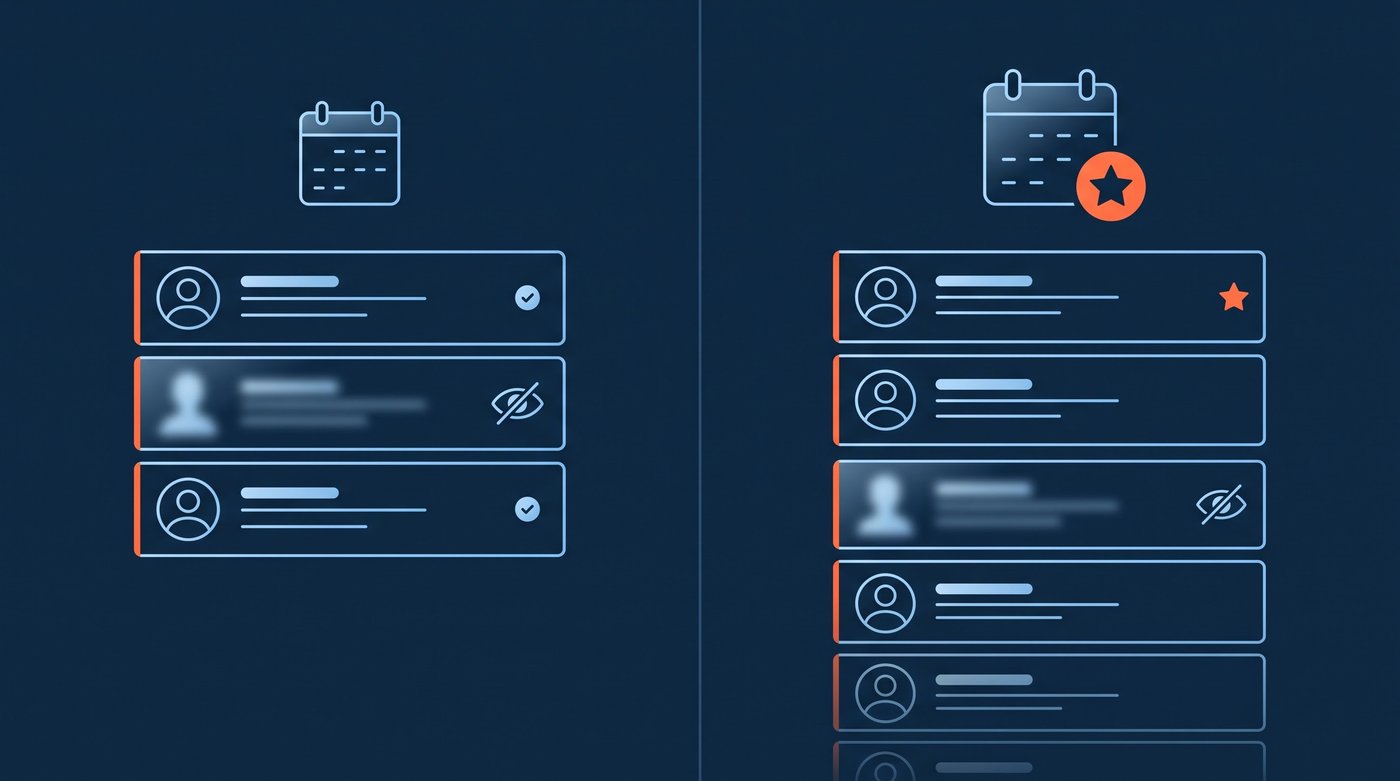
LinkedIn's plan comparison includes the full list in Premium Career, Business and All-in-One, Sales Navigator Core and Advanced, and Recruiter Lite. Our Premium vs Sales Navigator guide compares their prices.
Don't pay for Premium just for this list. The same page says Premium "may be available to try free for one month", so test it first.
Can people see that you viewed their profile?
Yes, unless you hide yourself first. Every member picks how they appear when viewing other people's profiles. You can show up by name, as a vague job description, or remain anonymous. Free accounts can pick any of the three, but hiding comes at a cost.
| Profile viewing option | What the person you viewed sees |
|---|---|
| Your name and headline | Your name, headline, location and industry |
| Private profile characteristics (semi-private) | A general description, such as "VP of Marketing in Internet Industry" or "Someone at Accenture" |
| Private mode | "LinkedIn Member", with no other information |
Here's the catch. On a free account, browsing in semi-private or private mode hides your own viewer list. With Premium, you can browse privately and still see the list of people who viewed your profile, per the help page on private browsing.
LinkedIn's settings help page gives these desktop steps:
- Click the Me icon, then Settings & Privacy.
- Click Visibility on the left.
- Under "Visibility of your profile & network", click "Visibility when viewing other profiles".
- Pick one of the three options. Your change saves automatically.
On mobile, tap your profile photo, then Settings & Privacy, then Visibility.
If you sell your services, browse under your name. The person sees who you are before you ever send a message.
Why can't I see who viewed my profile anymore?
Start with your own visibility settings. On a free account, browsing in private or semi-private mode hides your whole viewer list, according to LinkedIn Help. You also see no viewer data if nobody viewed you in the past 90 days. Switch back to showing your name and the free list returns.
LinkedIn lists these conditions on its help page about missing viewers.
Two other causes are easy to miss:
- Your Premium plan ended. Basic account rules then apply, by our reading of LinkedIn's pages: three viewers, or none while you browse privately.
- You blocked someone. They still count in your viewer total, but their details stay hidden.
A short playbook for when potential clients view your profile
A profile view is a small buying signal at best. It tells you someone looked at your profile, not why.
- Check who they are. Open their profile and read their role, company and last few posts. Ask one question: could this person buy what you sell?
- Skip anyone outside your ideal customer profile (ICP). Chasing every viewer burns your week and annoys people.
- If they fit, write about something real. Never open with "I saw you viewed my profile." It makes people feel watched, and it gives them nothing to answer.
- If they posted about a problem you solve, start there. Their own words make the easiest opener.
A short note works best: "Hi Sam, I read your post about slow client onboarding. Is the hold-up in contracts or in the kickoff call?" For more first lines, see these prospecting message templates.
A better list than your profile viewers
The people who view your profile already found you. Signado finds the people talking about the problem you solve, whether or not they've seen your profile.
It watches LinkedIn posts and comments for your keywords, the creators your buyers follow and your competitors' posts. Each person arrives with what they said, their company and a score for how well they match your business. AI drafts a first message from their own words. You review it and reach out yourself.
Signado never logs into your LinkedIn account. The Lite plan costs $39 a month for 1,000 credits, and each new lead costs 3 credits. How it works shows the full flow.
Frequently asked questions
Does LinkedIn notify someone when you view their profile?
It can. LinkedIn emails members about who viewed their profile. Its help page tells them to "click Unsubscribe in the email footer" to stop those emails. Even clicking a name in search suggestions counts as a view. That "may result in a notification" to the person, depending on your settings.
Are third-party profile viewer tools safe?
They can put your account at risk. LinkedIn's User Agreement bans using "crawlers, browser plugins and add-ons" to copy its pages, profiles included. It also bans "bots or other unauthorized automated methods". Break those rules and the company "reserves the right to restrict, suspend, or terminate your account".
Can recruiters see that I viewed their profile?
Yes, if you browse under your own name. Your setting applies to every profile you open, recruiters included. If you're job hunting, that can help. A visible view tells a recruiter you're interested before you send a word.
Check your list this week
This week, open your viewer list and look for one name that could buy from you. Read their last post and send two sentences about it. If you'd rather start from people already talking about the problem you solve, try Signado free for 7 days.
Get clients
Where agencies and consultants find clients, and how to start a conversation that gets a reply.
Start with the client guideLinkedIn Outreach Messages That Get Replies From Potential Clients
LinkedIn outreach messages potential clients reply to: templates for each situation, connection notes, LinkedIn's note limits and our own reply test.
Read articleLinkedIn SSI Score in 2026: What It Is and How to Raise It
What the LinkedIn SSI score measures, how its four parts add up to 100, what changed in 2026, and how to raise it without chasing the number.
Read articleFounder Led Sales: How to Win Clients Yourself
Build a founder led sales system using referrals, cold email, LinkedIn messages, useful posts, calls, and simple follow-up.
Read articleLand your next client with something relevant to say
Signado finds the people already talking about what you do on LinkedIn, and shows you what they actually said. You reach out with a reason they'll recognize.