
TLDR: Choose Signado when you want commenters or reactors from a public LinkedIn post, enriched and scored against your ICP, without connecting your LinkedIn account. Choose PhantomBuster for flexible account-based automation, Apify or Bright Data for raw data and APIs, and Evaboot for Sales Navigator exports.
The best LinkedIn scraping tool depends on the result you need. Signado comes first when the result is a list of people from one LinkedIn post, with the person, company, ICP fit, score, and original activity already attached. It does this without connecting your LinkedIn account.
Choose a traditional export tool for profiles or Sales Navigator data. Choose an API when you need raw records for your own data process.
| What you need | Start with |
|---|---|
| Profile data, search results, or a CSV export | Evaboot, Kanbox, Derrick, or PhantomBuster |
| An API or dataset for your own system | Apify, Bright Data, or Captain Data |
| Commenters or reactors, enriched and scored against your ICP | Signado |
People search for LinkedIn scraping tools for two different reasons. Some need to move profile data, Sales Navigator results, or post engagement into a spreadsheet or CRM. Others want to automate around LinkedIn limits with cookies, browser extensions, proxies, or logged-in sessions. Those workflows do not carry the same account risk.
This guide compares real tools without pretending they do the same thing. Some automate a browser. Some provide an API. Others export or enrich lists. Signado collects people from public LinkedIn engagement, enriches them, and qualifies them against your ICP instead of stopping at raw extraction.
For post extraction, use the LinkedIn post scraper guide. For commenter export, use the LinkedIn comment scraper guide. The PhantomBuster alternatives list and direct Signado vs PhantomBuster comparison cover that narrower decision. For the wider setup, see LinkedIn prospecting tools or social selling tools.
Quick comparison: best LinkedIn scraping tools by use case
Pricing changes quickly, so treat the cost column as a planning anchor checked in June 2026, not a contract.
| Use case | Tool | Best for | Starting price | Account or policy risk to review |
|---|---|---|---|---|
| Post engagement to scored leads | Signado | Public commenters, reactors, or both, with person and company enrichment and ICP scoring | 7-day free trial. Cancel anytime. From $59/mo | No LinkedIn login, session cookie, or browser extension required |
| Cloud automation | PhantomBuster | LinkedIn profile scraping, search exports, post engagement exports, and chained workflows | Free trial; paid from $69/mo monthly or $56/mo annual | Uses LinkedIn cookies/session for many workflows |
| Developer marketplace | Apify | Running LinkedIn scraper actors, API jobs, and custom data systems | Free plan; Starter from $29/mo + usage | Varies by actor and data source |
| Enterprise scraper API | Bright Data | High-volume LinkedIn profiles, companies, posts, jobs, and datasets | Free trial; scraper APIs from about $0.75-$1 per 1K records | Data sourcing, use rights, and output handling |
| B2B data API | Captain Data | People search, enrichment, company data, and API-first product workflows | 100 free credits; example tier about €600/mo for 20K credits | Vendor sourcing and permitted use |
| Sales Navigator export | Evaboot | Exporting Sales Navigator searches or profile lists and enriching contacts | From $9/mo for 100 credits | Sales Navigator dependency and export practices |
| Self-hosted/legacy automation | TexAu | Teams with technical ability to run social-media automations themselves | Platform from $79/mo annual; monthly available | TexAu says hosted social automations are no longer offered due to platform TOS and legal risk |
| LinkedIn account automation | Dux-Soup | Visits, follows, connection requests, messages, and LinkedIn outreach campaigns | Pro from $14.99/mo; Turbo from $55/mo | Runs on a native LinkedIn, Recruiter, or Sales Navigator account |
| LinkedIn outreach workflow | Waalaxy | Building lead lists from LinkedIn and running follow-ups | From €19/user/mo | Automated LinkedIn activity and account limits |
| Chrome extension scraper | Kanbox | Sales Navigator extraction and CSV exports through a browser extension | From €25/mo monthly or €15/mo annual | Requires using LinkedIn in the browser |
| Sheets enrichment | Derrick | Importing Sales Navigator leads and enriching LinkedIn URLs in Google Sheets | Free plan; paid from €9/mo | Some workflows require Sales Navigator or profile URLs |
| General no-code scraper | Octoparse | Visual scraping workflows for public web data and non-LinkedIn sources | Free plan; paid from $69/mo annual | LinkedIn-specific reliability and policy fit |
The right LinkedIn scraping tool depends on what you need to extract. A LinkedIn profile scraper is different from a Sales Navigator export tool. A scraping API is different from a Chrome extension. A data enrichment provider is different from a tool that automates your LinkedIn account. If you blur those categories, you will pick the wrong tool and inherit the wrong risk.
Are LinkedIn scraping tools allowed by LinkedIn's terms?
Short answer: LinkedIn draws a hard line around unauthorized scraping and automation.
The LinkedIn User Agreement says LinkedIn can restrict, suspend, or terminate accounts that breach the contract or misuse the service. Its "Dos and Don'ts" section prohibits software, scripts, robots, crawlers, browser plugins, and similar methods used to scrape, copy, bypass limits, or automate actions. LinkedIn's Help Center also has pages on prohibited software and extensions, automated activity, and account restrictions.
This is not legal advice. The practical takeaway is simpler: LinkedIn's terms of service prohibit unauthorized scraping and automation, and the more your workflow logs into LinkedIn, uses a browser extension, uses a session cookie, visits profiles, sends messages, downloads contacts, or tries to bypass rate limits, the more you should review policy, account, privacy, and vendor risk before you deploy it.
Lower-risk patterns to review first
Lower-risk does not mean "automatically compliant." It means the workflow has fewer obvious account-automation triggers.
| Pattern | Why teams prefer it |
|---|---|
| Manual LinkedIn or Sales Navigator research | No third-party bot touches the account |
| Approved LinkedIn APIs or partner integrations | Access is granted through LinkedIn's own programs and terms |
| First-party CRM data, event lists, and consented opt-ins | The data source is not a scraped LinkedIn session |
| B2B data providers with clear sourcing | You review the vendor's data rights instead of running your own scraper |
| Warm-lead discovery without personal LinkedIn automation | You get context without connecting a personal account to a bot |
Higher-risk patterns that need extra scrutiny
These are the workflows most likely to create account anxiety:
| Pattern | Why it is risky |
|---|---|
| Tools that require a LinkedIn cookie or session | The automation may use your LinkedIn session or another logged-in account |
| Browser extensions that scrape visible profiles or searches | The extension operates inside the LinkedIn browsing experience |
| Automated profile visits, follows, comments, invites, or messages | LinkedIn explicitly watches automated activity |
| Proxy or rotating-account setups | These can look like attempts to bypass access limits |
| High-volume Sales Navigator exports | Even useful client-finding workflows can cross platform limits fast |
That does not mean every vendor below should be dismissed. It means the buying question is bigger than "can it scrape?" Ask how the tool gets data, whether it needs your LinkedIn account, what it stores, whether it sends automated actions, and what happens if LinkedIn changes a page or restricts an account.
Several LinkedIn scraping tools describe their data as public or publicly available data. That wording can be useful, but it does not remove the need to review LinkedIn's terms of service, privacy law, data quality, and the vendor's actual data sources.
Compare the best LinkedIn scraping tools
1. Signado: best for turning LinkedIn post engagement into scored leads
Signado is for finding qualified people from a public LinkedIn post without connecting your LinkedIn account. Paste the post URL, choose Commenters, Reactors, or Both, set the lead limit, and run it once.
The results go into Warm Leads. Each new lead costs 5 credits and includes collection, person and company enrichment, qualification against your ICP, scoring, and the original activity. You can review the person's role and LinkedIn profile, company details, score and reason, buyer stage when available, and the comment or reaction that led you to them.
You do not provide a LinkedIn login, session cookie, or browser extension. This removes the direct account risk created by tools that run through your personal LinkedIn session.
Signado is not the right choice when you need a complete raw archive, JSON output, or your own extraction API. A post source runs once and uses the lead limit you choose. Public availability can also affect which commenters or reactors are returned.
Generating a message inside Signado costs another 3 credits. You can write it yourself or connect the free read-only Signado MCP tools to Claude Code or Codex and spend no Signado message credits.
2. PhantomBuster: best for cloud LinkedIn automation workflows
PhantomBuster is one of the best-known tools in this category. Its LinkedIn Profile Scraper page says you provide LinkedIn profile URLs and a LinkedIn cookie, then get structured data such as names, headlines, locations, company fields, recent jobs, profile fields, and exportable CSV files. PhantomBuster also connects with Google Sheets and HubSpot and can chain LinkedIn automations into larger workflows.
Use it when you know exactly what data you want to collect and someone on your team can own the workflow. PhantomBuster is useful for profile enrichment, LinkedIn Sales Navigator exports, post engagement exports, profile URL lists, and recurring data pulls. It also has a free trial, which makes it easy to test before building a full workflow.
PhantomBuster pricing starts at $69/month on monthly billing or $56/month on annual billing for the Start plan.
The limit is the same one that appears in most scraping workflows: you get rows, not judgment. After extraction, you still need to dedupe, clean, enrich, score, find emails from LinkedIn profiles or another source, and decide what to say. For the deeper tradeoff, read PhantomBuster alternative for LinkedIn warm leads.
3. Apify: best for developers who want scraper actors and APIs
Apify is a developer marketplace for actors, APIs, and scraping jobs. LinkedIn-related actors vary by publisher. Some scrape profiles from profile URLs. Others target posts, comments, reactions, companies, or public profile data. Many return structured JSON that can feed a CRM, spreadsheet, data warehouse, or AI agent.
Use Apify when you want programmatic control and do not mind checking the actor, publisher, limits, inputs, output fields, and maintenance status. It is closer to infrastructure than a finished sales tool.
Apify pricing has a free plan, a $29/month Starter plan, and pay-as-you-go usage on higher plans.
The tradeoff is responsibility. Actor quality varies, sourcing varies, and compliance language varies. Before using any LinkedIn scraper actor, read its input method, whether it needs cookies, what source it uses, and what the publisher says about terms, data protection, and affiliation with LinkedIn.
4. Bright Data: best for high-volume LinkedIn scraper APIs and datasets
Bright Data's LinkedIn Scraper is built for teams that want API or no-code access to LinkedIn profiles, companies, posts, jobs, people search, and datasets. Its page lists on-demand API scraping, no-code scraping, bulk URL handling, multiple delivery formats, and pay-per-success pricing. It also positions a free trial and pay-as-you-go access for teams testing a LinkedIn data extraction tool.
Use Bright Data for large-scale data collection when someone can review vendor sourcing, storage, data rights, and downstream usage. It fits data teams, AI product teams, market research workflows, and enterprise data operations better than a small client-finding workflow.
Bright Data pricing is usage-based. Its scraper API pricing is listed from about $0.75-$1 per 1,000 records, while managed and dataset work can move into custom pricing.
Bright Data is not a lead prioritization tool. It can provide LinkedIn data. Your team still has to decide which records match your ICP, which accounts matter now, and how the data enters outreach without creating a compliance problem.
5. Captain Data: best for B2B people and company data APIs
Captain Data is now more of a B2B data API than a simple browser scraper. Its pages describe people search, people enrichment, company search, company enrichment, and data extraction through REST APIs. The people enrichment endpoint can take a LinkedIn profile URL and return profile fields, while the broader data extraction page positions the product around querying professional profiles and companies at scale.
Use Captain Data if you are building product features, AI agents, or internal data workflows that need people and company data through an API. It is a better fit for engineering-led businesses than for someone who wants a button in Sales Navigator.
Captain Data pricing is credit-based. The public calculator shows 100 free credits and an example Silver estimate around €600/month for 20,000 credits.
The review point is vendor sourcing and permitted use. Because this is a data API, the hard questions shift from browser automation to data provenance, coverage, freshness, and how your company is allowed to use the returned records.
6. Evaboot: best for Sales Navigator exports and enrichment
Evaboot focuses on Sales Navigator exports, LinkedIn URL enrichment, and email finding. Its API page says teams can trigger the export of a Sales Navigator search or list by passing a search URL or profile URLs, then receive an enriched dataset through a webhook. It can also return names, job titles, companies, verified emails, and other data points.
Use Evaboot when Sales Navigator is already your source and the main pain is exporting, cleaning, and enriching lead lists. It is a practical tool for agencies and service businesses that work from saved Sales Navigator searches.
Evaboot pricing starts at $9/month for 100 credits. Sales Navigator is required.
The limitation is that a filtered Sales Navigator export is still a cold list unless you add timing and context. Job title, company, and email are useful. They do not explain why this person should hear from you today.
7. TexAu: best as a warning and self-host option
TexAu is important because its own LinkedIn Profile Scraper page now says TexAu V3 no longer offers hosted social-media automations for LinkedIn and similar platforms because running them at scale carries platform TOS and legal risk it cannot pass on to customers. It says the code remains open for self-hosting.
That makes TexAu a useful case study. The product has a long history in no-code growth automation, but its current positioning shows where the market is moving: vendors are separating generic data workflows from hosted social-platform automation risk.
Use TexAu only if you understand the self-hosting path, own the risk review, and know why you need that specific automation. For most businesses, the better lesson is to avoid a process that depends on fragile logged-in automation.
TexAu pricing now starts at $79/month on annual billing for its Solo platform tier. That price is for TexAu's current enrichment platform, not a hosted LinkedIn scraper workflow.
8. Dux-Soup: best for LinkedIn account automation and outreach campaigns
Dux-Soup is a LinkedIn automation tool for visits, follows, connection requests, InMails, messages, campaigns, and lead management. Its site says it works on native LinkedIn, Recruiter, or Sales Navigator accounts and helps teams create LinkedIn outreach campaigns.
Use Dux-Soup for LinkedIn outreach execution rather than pure data extraction. It can help people work through prospect lists, run follow-ups, and track replies.
Dux-Soup pricing starts at $14.99/month for Pro Dux. Turbo Dux, the more relevant campaign tier for recurring outreach, starts at $55/month.
The risk profile is different from an API data provider. This kind of tool performs activity through or around a LinkedIn account. Buyers should check account limits, LinkedIn message quality, personalization, and how much automation they are willing to attach to a personal profile.
9. Waalaxy: best for simple LinkedIn outreach workflows
Waalaxy helps teams build lead lists from LinkedIn Search, Sales Navigator, or LinkedIn Recruiter Lite, then run connection requests, messages, follow-ups, email steps, inbox workflows, and CRM syncs. Its own copy is outreach-first rather than scraper-first.
Use Waalaxy when your team wants guided LinkedIn prospecting and follow-up without building a custom stack. It is closer to a LinkedIn outreach tool than a general scraper API.
Waalaxy pricing starts at €19/user/month for Pro, with Advanced at €49/user/month and Business at €69/user/month.
The issue is lead quality. Waalaxy can help you contact people from LinkedIn sources, but your list still needs a reason. A prospect who matches a title filter is not the same as someone who just commented on a relevant competitor post.
10. Kanbox: best for Chrome-based Sales Navigator extraction
Kanbox is a Chrome extension workflow for extracting LinkedIn and Sales Navigator data into cleaned CSVs. Its page says users install the extension, log in to LinkedIn, run a search, click the Kanbox button, and download data such as names, job titles, companies, locations, headlines, summaries, and profile URLs.
Use Kanbox when you want a lightweight, spreadsheet-friendly way to export visible profiles from searches. It will feel familiar to small teams that already live in Sales Navigator and CSV files. If your plan is to export thousands of LinkedIn profiles per month, review account limits and downstream data handling before rolling it out.
Kanbox pricing starts at €25/month on monthly billing or €15/month on annual billing for Starter.
The account-risk review is obvious: the workflow runs through the browser while logged in. That does not make it unusable, but it does mean you should review LinkedIn's prohibited software guidance before giving it to everyone who uses the account.
11. Derrick: best for Google Sheets enrichment and Sales Navigator imports
Derrick is a Google Sheets add-on for lead and company enrichment. Its site lists LinkedIn URL finding, LinkedIn enrichment, Sales Navigator import, email finding, phone finding, website scraping, AI enrichment, and other spreadsheet-native workflows. Derrick also has a free plan, which makes it a useful test for teams that want contact data and profile enrichment in Sheets.
Use Derrick when the team already works from Google Sheets and wants a simple way to enrich LinkedIn URLs, import Sales Navigator leads, or turn rows into more complete prospect records. It is less intimidating than a scraper API and easier to operate than a custom workflow.
Derrick pricing includes a free plan and paid plans from €9/month.
The tradeoff is that sheets can hide a messy process. If everyone imports leads, enriches rows, and exports CSVs differently, you still need deduplication, routing, ICP scoring, and clear rules for who is ready to contact.
12. Octoparse: best for general no-code web scraping, not LinkedIn-first sales
Octoparse is a general no-code web scraping platform. It is useful for visual scraping workflows, public web data, directories, ecommerce pages, maps, and recurring data collection where a no-code interface is easier than writing Python.
Use Octoparse when LinkedIn is not the only source and you need a broader web data extraction tool. For example, a market research team might scrape directories, association sites, event pages, or company websites before enriching records elsewhere.
Octoparse pricing has a free plan, with paid Standard plans starting at $69/month on annual billing.
For LinkedIn-specific client-finding workflows, Octoparse is usually not the first tool to evaluate. A dedicated LinkedIn extraction tool, data provider, or warm-lead workflow will usually be more direct. Traditional scraping becomes easier to justify when LinkedIn is only one source among many and you are collecting broader public web evidence.
What raw LinkedIn scraping still leaves for you
Scraping feels like progress because it turns a page into a dataset. For finding clients, that is only the first step.
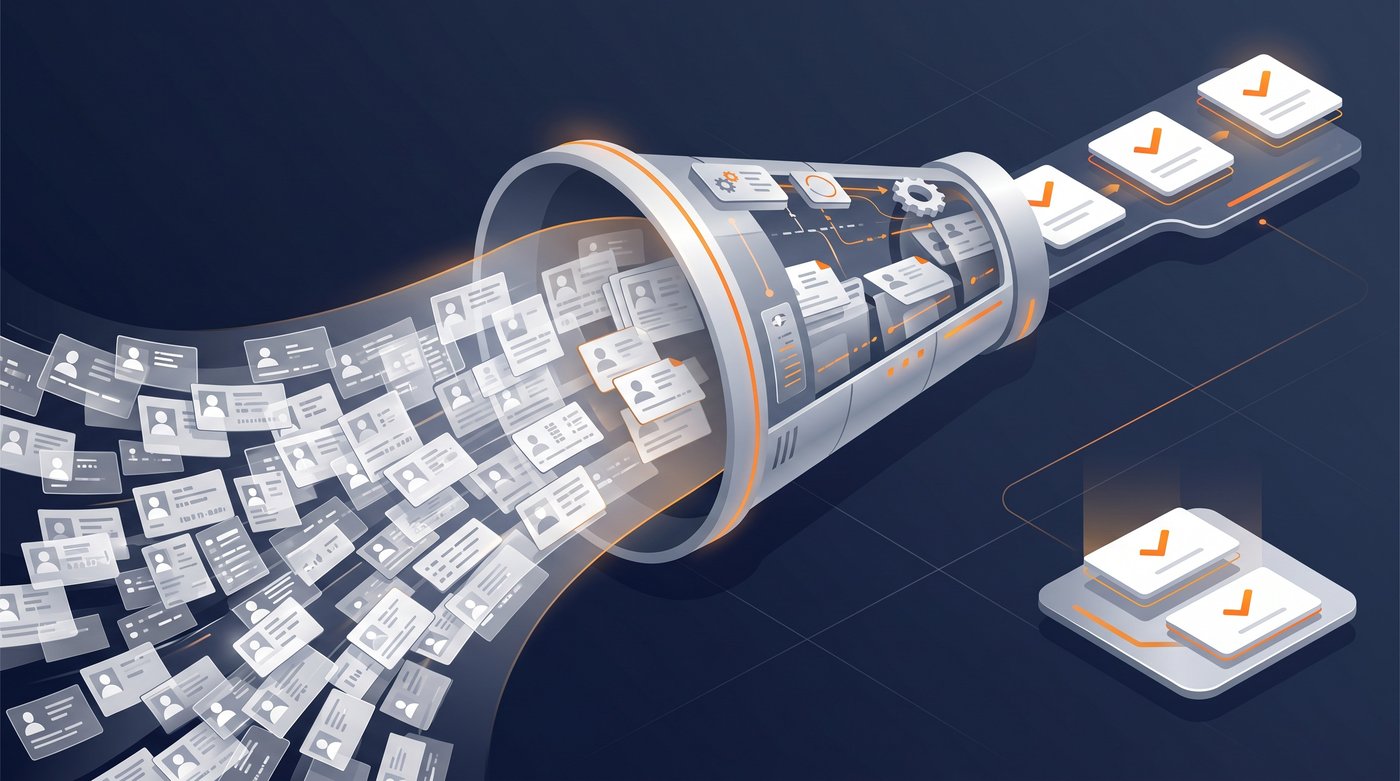
After you scrape LinkedIn data, you still need to answer:
- Is this person in our ICP?
- Is the company a fit by size, market, region, or stack?
- Did we already contact this person?
- Is the LinkedIn profile current enough to trust?
- Do we have a verified email or another allowed contact route?
- Why is now a good time to reach out?
- What should the first message reference?
- Which person, CRM, or campaign should own the lead?
That work is where many scraping projects stall. The team gets a large CSV, celebrates for a day, then spends the next week cleaning columns, deduping profiles, running enrichment, and arguing about whether the list is worth touching.
The better way to evaluate LinkedIn scraping tools is to look past extraction:
| Question | Why it matters |
|---|---|
| What is the source? | Profile URL, search result, Sales Navigator list, post comments, reactions, company page, or external data provider |
| Does it need a LinkedIn account? | Logged-in automation changes the risk profile |
| What comes back? | Name, job title, company, profile URL, comments, email, firmographics, activity context |
| How fresh is it? | Stale profile data creates bad outreach |
| What happens next? | CSV export, API, webhook, CRM sync, enrichment, or campaign handoff |
| Who owns failures? | Page changes, account restrictions, missing fields, bad emails, duplicates, and data quality issues |
If you want data infrastructure, scraping tools make sense. If you want qualified people to contact, raw scraping is usually too early in the process.
Practical stacks by risk tolerance
Different teams should choose different routes.
| Situation | Practical stack | Why it fits |
|---|---|---|
| You can build and maintain the process | PhantomBuster or Apify + Clay + CRM | You own extraction, cleanup, enrichment, and routing |
| You need high-volume data | Bright Data + warehouse + governance review | Large data operations need clear controls |
| You already depend on Sales Navigator | Evaboot or Derrick + Apollo + outreach tool | Export known searches, enrich them, then reach out |
| You mainly need LinkedIn follow-up automation | Waalaxy or Dux-Soup + strict account rules | The focus is sending and follow-up |
| You want people already discussing relevant problems | Signado + your existing contact or email tool | Find the person and reason before choosing how to contact them |
| You attract clients through content | Taplio or Hootsuite + Signado + CRM | Publish content, then review relevant conversations |
The cleanest setup is usually not "the best LinkedIn scraper." It is the smallest workflow that gets a qualified person, a reason to reach out, and a clean handoff to sales.
Choose the result before the tool
Before buying a LinkedIn scraping tool, ask the boring questions. They save you from fragile workflows.
1. What exact LinkedIn data do we need?
Profiles, company pages, Sales Navigator searches, post commenters, reactions, jobs, and group members are different sources. A tool that handles profile URLs may not handle comments. A tool that exports Sales Navigator may not give you engagement context.
2. Do we need raw data or qualified leads?
If your team wants raw data for analysis, scraping tools can be useful. If your team wants meetings, raw data is only a component. Lead scoring, enrichment, and context matter more.
3. Will this touch my LinkedIn account?
If the answer is yes, treat account safety as a buying criterion. Check whether the tool needs cookies, a browser extension, native account activity, or message automation.
4. What happens after export?
The best data workflow has a clear next step: CRM sync, enrichment, dedupe, owner assignment, campaign routing, or review. "Download CSV" is not enough.
5. What would break the workflow?
LinkedIn page changes, missing fields, bad cookies, rate limits, duplicate profiles, stale job titles, and account restrictions all create operational cost. The right tool is the one your team can maintain.
Frequently asked questions
What are LinkedIn scraping tools?
LinkedIn scraping tools extract data from LinkedIn profiles, search results, Sales Navigator lists, company pages, posts, comments, or reactions. Some run through a logged-in account or browser extension. Others expose data through APIs, datasets, or enrichment workflows.
Is LinkedIn scraping allowed?
LinkedIn's User Agreement and Help Center warn against unauthorized crawlers, bots, browser extensions, software that scrapes or copies LinkedIn, and tools that automate activity on the site. Treat this as a policy and account-risk issue, and get legal advice for your specific workflow.
What is the safest type of LinkedIn data workflow?
Lower-risk workflows usually avoid logging into your LinkedIn account, avoid browser automation, and rely on approved APIs, first-party exports, consented data, or B2B data providers with clear sourcing. "Safer" still does not mean risk-free. Every vendor and use case needs review.
Is PhantomBuster a LinkedIn scraping tool?
Yes. PhantomBuster offers LinkedIn automation and scraping workflows, including profile scraping, Sales Navigator exports, and post engagement workflows. It is useful when you want flexible automation and can own the cleanup, enrichment, and follow-up logic. For a direct comparison, read Signado vs the PhantomBuster workflow.
Is Signado a LinkedIn scraping tool?
Yes. Signado is a LinkedIn post scraper for lead generation. Paste a public LinkedIn post, choose commenters, reactors, or both, and the people arrive as warm leads with person data, company data, ICP scoring, and the original activity. Your LinkedIn account is not connected.
When should I use a raw LinkedIn data tool?
Use a raw data tool when you need a complete archive, JSON output, an extraction API, or full control over your own data workflow. Use Signado when you want post commenters or reactors turned into enriched, scored leads.
If that is the result you need, Start Free and test it with one keyword, creator, competitor, or public LinkedIn post.
Choose LinkedIn prospecting tools
Compare search, research, and automation tools by the job you need done and the account access they require.
Start with the LinkedIn prospecting tools guideLinkedIn Post Scraper: How to Scrape LinkedIn Posts for Leads
Use a LinkedIn post scraper to scrape LinkedIn posts, extract commenters and reactors, compare account risk, and turn engagement into enriched leads.
Read articleHow to Scrape LinkedIn Comments for Leads
Use a LinkedIn comment scraper to extract commenter profile URLs, comment text, and CSV rows from posts, then filter for actual lead intent.
Read article7 best PhantomBuster alternatives in 2026 (with prices)
Compare 7 PhantomBuster alternatives for LinkedIn outreach, finding leads in LinkedIn posts and comments, data extraction, Sales Navigator export, and enrichment, with prices checked October 2026.
Read articleSkip the scraper setup
Signado watches LinkedIn keywords, competitors, and creators, then delivers the commenters worth contacting, scored and enriched, with what they actually said. No LinkedIn login. Nothing to get your account restricted.