LinkedIn Premium vs Sales Navigator: Prices, InMail and Which to Buy in 2026

TLDR: LinkedIn Premium Business ($69.99 a month) upgrades your account with unlimited search and 15 InMails a month. Sales Navigator Core ($119.99) is a separate sales tool with 50+ filters, saved lead lists, alerts and 50 InMail credits. It includes everything in Premium Business. Pick Core only if you build lists every week.
In LinkedIn Premium vs Sales Navigator, Premium upgrades the LinkedIn account you already use. Sales Navigator adds a separate sales prospecting tool on top of Premium Business. Business alone fits if you search people often and message a few strangers a month.
The extra tool pays off if you build lead lists and work them every week. Most people judge LinkedIn Sales Navigator vs Premium on price. The real difference is in your weekly habits.
LinkedIn Premium vs Sales Navigator at a glance
| Plan | Billed monthly | Billed yearly | InMail credits a month | Search | Lists and alerts | Built for |
|---|---|---|---|---|---|---|
| Premium Career | $39.99 | $239.88 | 5 | Not named as raising the search limit | None | Job seekers |
| Premium Business | $69.99 | $539.88 | 15 | Unlimited, limited filters | No lead lists | Professionals and small business leaders |
| Premium All-in-One | $89.99 | $899.88 | 30 | Unlimited | Up to 15 prospect suggestions a day | Small business owners, limited rollout |
| Sales Navigator Core | $119.99 | $1,079.88 | 50 | 50+ lead and account filters | Saved leads and accounts, alerts | One person |
| Sales Navigator Advanced | $159.99 | $1,799.88 | 50 | 50+ lead and account filters | Adds shared lists and saved searches | Two or more people on the same accounts |
Prices are LinkedIn's US "starts at" prices and may exclude tax. We checked them on November 26, 2026, on LinkedIn's Career, Business, All-in-One and compare plans pages. InMail numbers come from LinkedIn Help. Advanced Plus has a custom price.
What's the difference between LinkedIn Premium and Sales Navigator?
Premium is a set of four subscriptions that add features to your normal LinkedIn account. Sales Navigator is a separate B2B sales tool with its own search, lists and inbox.
LinkedIn calls it "built for sales professionals". All its plans include Premium Business features. The extra money buys more filters, saved lists and alerts.
The four Premium plans
- Premium Career is for job seekers, and the wrong plan for finding clients.
- Premium Business adds unlimited people search, LinkedIn Learning, AI profile suggestions and a custom LinkedIn profile button.
- All-in-One bundles prospecting and post promotion tools. LinkedIn says it's "currently available to a limited group".
- Company Page Premium upgrades your company page, not your account.
Sales Navigator Core, Advanced and Advanced Plus
Sales Navigator offers three plans, according to LinkedIn Help. Core is for one user.
Advanced lets two or more people share lead lists and saved searches. It adds Buyer Intent, which flags accounts showing interest in your company. TeamLink finds intros through your colleagues' connections. Smart Links show who opened the files you share.
Advanced Plus adds a two-way CRM sync, at a custom price through LinkedIn's sales reps. A solo consultant rarely needs Advanced.
How much do LinkedIn Premium and Sales Navigator cost in 2026?
Premium Business costs $69.99 a month and Sales Navigator starts at $119.99, so the monthly gap is $50. Paying yearly cuts both bills. Business drops to $44.99 a month and Core to $89.99. On yearly billing, Core costs $540 more a year than Business, by our arithmetic.
| Plan | Billed monthly | Billed yearly | Yearly, per month | Yearly saving LinkedIn shows |
|---|---|---|---|---|
| Premium Career | $39.99 | $239.88 | $19.99 | 50% |
| Premium Business | $69.99 | $539.88 | $44.99 | 36% |
| Premium All-in-One | $89.99 | $899.88 | $74.99 | 17% |
| Sales Navigator Core | $119.99 | $1,079.88 | $89.99 | 25% |
| Sales Navigator Advanced | $159.99 | $1,799.88 | $149.99 | 6% |
Don't let the discount pick the plan. Pay monthly until a month of real use shows you'll keep it. For free-trial rules and cancellation, see our guide to Sales Navigator's pricing, trial and limits.
Is LinkedIn Premium included with Sales Navigator?
Yes. LinkedIn's comparison page says "A Sales Navigator subscription includes access to Premium Business features." So profile viewers, LinkedIn Learning, business insights and the custom profile button come with Core. The one thing you lose when you move up is your banked InMail.
That quote comes from LinkedIn's Premium vs Sales Navigator page.
LinkedIn's InMail help page says Premium InMail credits can't be used on Sales Navigator. They're also "not transferrable when upgrading your account". And the balance "will become zero when a Premium subscription is canceled". So spend your Premium credits before you upgrade.
Sales Navigator vs Premium Business: search, InMail and lists
Search
A free LinkedIn account hits a monthly cap on people searches and profile views. LinkedIn calls it the commercial use limit. It resets at midnight Pacific time on the 1st. LinkedIn can't show how many you have left, and it won't lift the cap on request.
LinkedIn names three plans that raise it: Premium Business, Recruiter Lite and Sales Navigator. Premium Career isn't one of them. That's the trap. If you bought Career to keep searching, it may not fix the problem.
A free account also stops at 250 results per search, or 25 pages, according to LinkedIn Help.
Search filters are the bigger gap. LinkedIn's own comparison gives Premium Business "limited search filters" and Sales Navigator "50+ advanced lead and account search filters". Beth Granger gave a plain example in a LinkedIn post: "if the number of employees at a company is important to you, you can search that on Navigator but not using Premium." Our guide shows how to build a list in Sales Navigator with those filters.
InMail credits
An InMail is a message to someone outside your network. Unused credits roll over, up to three months' worth: 15 on Career, 45 on Business, 90 on All-in-One and 150 on Core, per LinkedIn Help. Core's 50 InMail credits renew on the 1st of each month. No plan gives unlimited InMail.
You get a credit back when the person accepts, declines or replies within 90 days. So you only lose credits on messages nobody answers.
How many people outside your network do you need to message cold each month? Premium Business provides 15 InMail credits, so it covers up to 15. All-in-One covers up to 30, if LinkedIn offers it. At 30 to 50, Core starts to pay.
Our LinkedIn outreach templates show what to write in a first message.
Lists, alerts and suggestions
Lists and alerts are what the extra $50 a month really buys. Each user can save up to 10,000 leads and accounts, according to LinkedIn Help. You sort them into lists and get an alert when a saved lead changes jobs or posts. Depending on the plan, Message Assist drafts messages with AI, and Account IQ and Lead IQ sum up a company or a person.
Business has no lead lists, so you track people somewhere else. All-in-One adds daily prospect suggestions, a $50 monthly post-boost credit and a monthly hiring credit, per LinkedIn's comparison page.
If you won't open a saved list every week, don't buy Sales Navigator for search alone.
Should you choose Premium Business or LinkedIn Sales Navigator?
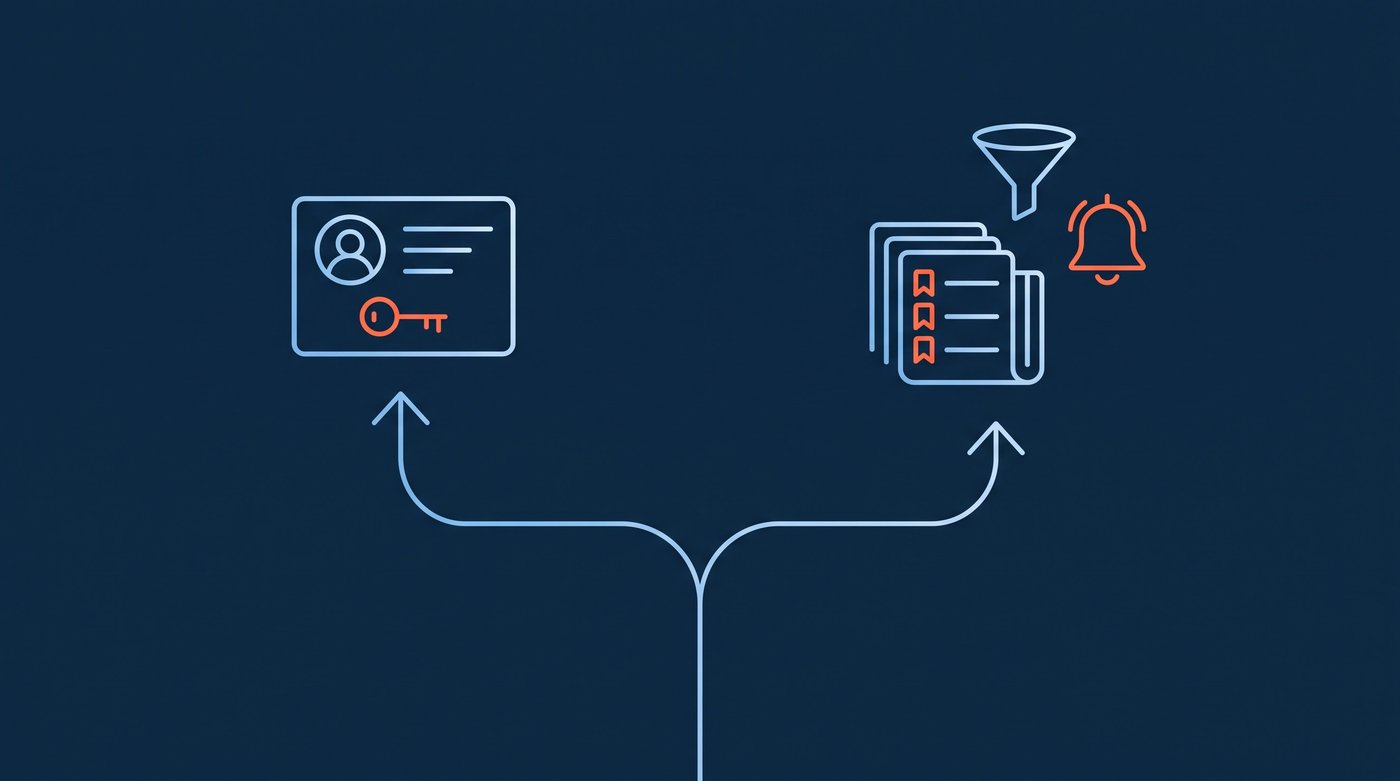
Your LinkedIn prospecting habits decide this. Premium Business covers someone who searches by name, title or company and messages mostly their own connections. Sales Navigator Core pays off when you filter by company size or industry and work saved lists every week. If you mostly post and comment, stay free.
| Your usual week | Pick |
|---|---|
| You post, comment and reply, and haven't hit the search limit | A free account |
| You look people up by name or title and message mostly your connections | Premium Business |
| You want daily prospect suggestions and some post promotion on one bill | All-in-One, if LinkedIn offers it ($89.99 vs $69.99 a month) |
| You filter by seniority or years in role, save leads and want alerts | Sales Navigator Core |
| Two or more people work the same accounts | Advanced |
Premium or free? Run a 30-day test first
Before you pay for a year, look at last month. Count your people searches, the InMails you sent and the replies you got.
Did you never hit the search limit and send fewer than 15 InMails? Then you don't need Sales Navigator. Business or a free account will do.
Stacy Thal, commenting on Beth Granger's post, put it as one practitioner's rule: "when you're hitting search/view limits weekly and turning saved leads into scheduled outreach blocks, that's when Sales Nav earns its keep."
Filters only help when your buyer fits LinkedIn's fields. John Kennelly cancelled LinkedIn Sales Navigator after about 18 months. He had changed his target buyer, and the new buyers were "much harder to find using Sales Nav's filters." He kept Premium for "profile viewers, company insights, and profile customization."
What neither plan tells you
Both plans help you find people by who they are: title, company and size. Neither tells you who is talking about the problem you solve this week. That's what makes a first message easy to answer. Lead alerts come close, but only for people you've already saved.

Signado covers that gap. It watches LinkedIn posts and comments for your keywords, the creators your buyers follow and your competitors' posts. Each person arrives with their company, what they said and a score for how well they match your business.
You can then have AI draft a first message from their own words. So your outreach starts from warm leads, each with a reason to write.
It doesn't log into your LinkedIn account, so it works next to any LinkedIn plan, free or paid. Its Lite plan costs $39 a month for 1,000 credits, and each new lead costs 3 credits. How it works shows the full flow.
Use either plan to look someone up. Use Signado to find who to look up this week.
Frequently asked questions
Is Sales Navigator worth it for a solo consultant?
Only if it starts enough conversations. Divide the yearly Core price by 12, then by the conversations it starts each month. At two a month, each conversation costs under $45, by our arithmetic. Below two, Premium Business is the better buy.
Can you have LinkedIn Premium and Sales Navigator at the same time?
There's no reason to. A separate Premium plan would charge you twice for the same features. Before you upgrade, check which subscriptions are active on your account.
Does LinkedIn Premium have a free trial?
Sometimes. LinkedIn's help center says Premium plans "may be available to try free for one month", and only eligible users get the offer. If you get one, start it in a busy month. A quiet month tells you nothing about which plan you need.
Is Premium Career enough to find clients?
Usually not. LinkedIn sells Career on finding jobs where you'd be a top applicant and people hiring for the role you want. That's the other side of the table from finding clients. If you're on Career to prospect, Premium Business is the smaller fix.
Is LinkedIn Premium the same as Sales Navigator?
No. Sales Navigator opens in its own space at linkedin.com/sales, away from your feed. Premium works inside the LinkedIn you already use, from your profile to your inbox.
Pick your plan from last month's numbers
This week, pull up last month's searches, InMails and replies, then pick the plan those numbers point to. If you'd rather start from who's talking about your problem right now, try Signado free for 7 days. Plans are on the pricing page.
Choose LinkedIn prospecting tools
Compare search, research, and automation tools by what you need them to do and the account access they require.
Start with the LinkedIn prospecting tools guide7 best LinkedIn Sales Navigator alternatives for 2026, compared by price
Compare 7 LinkedIn Sales Navigator alternatives by what you're missing: contact data, direct dials, enrichment, automation, or replies. Prices checked November 2026.
Read articleBest LinkedIn Lead Generation Tools in 2026
Compare 11 LinkedIn lead generation tools for finding people, getting contact details, and automating outreach, with October 2026 prices and account risk.
Read article13 Best Social Selling Tools for B2B Sales (2026)
Compare social selling tools for LinkedIn prospecting, content, listening, outreach, enrichment, and warm-lead discovery from engagement.
Read articleLand your next client with something relevant to say
Signado finds the people already talking about what you do on LinkedIn, and shows you what they actually said. You reach out with a reason they'll recognize.