
TLDR: The best B2B lead generation tools for service founders form a short path. Find relevant LinkedIn conversations, check whether the person and company fit, get a contact route, then reach out with context. Start with Signado or LinkedIn, add Sales Navigator or Apollo for fit and data, and use a sender only when needed.
If you run an agency, consultancy, or B2B service business, you probably do not need a bigger sales stack. You need a steady way to find prospects who could become clients.
Start with the conversation, not the contact database. Find people posting about problems you solve or commenting around competitors and creators your buyers follow. Keep what they said attached. Check whether the person and company fit. Then reach out with something relevant to say.
The B2B lead generation tools below are organized around that path, from finding the conversation to sending the message.
What are B2B lead generation tools?
B2B lead generation tools are software that help a business find a prospect, capture interest, verify contact details, qualify fit, and manage outreach. A tool may cover one narrow step or several connected steps.
The category includes more than a B2B contact database. Lead capture tools turn a website visitor or form response into a record. Lead scoring helps prioritize fit and engagement. B2B prospecting tools search for potential clients. Email and LinkedIn tools handle contact after qualification.
For a service founder, the best lead is not the one with the most data. It is the prospect who fits the service and has given you a useful reason to talk. That is why the right tool depends on the missing step in your lead generation process.
The client-finding workflow comes before the tools
Most lead generation software starts by giving you more names. That is useful only when a lack of names is the real problem.
A service founder usually needs four decisions:
- Who is talking about work we can help with?
- Does this person and company fit the clients we serve?
- What is the right contact route?
- What can we say that connects to their situation?
No single lead generation platform answers every question equally well. The right B2B lead generation stack can be one tool, a few focused tools, or a manual process. Choose the smallest setup that removes your current bottleneck and improves lead quality.
The full method is covered in how to get clients from LinkedIn. Use that guide to define the workflow before buying software.
Quick comparison of the nine tools
| Step | Tool | Best use | Result to inspect |
|---|---|---|---|
| Find people | LinkedIn search | Free market and conversation research | Relevant posts, comments, and profiles you would contact |
| Find conversations | Signado | Relevant post authors and commenters with context | A scored review group with each person's words attached |
| Check fit | LinkedIn Sales Navigator | Deeper people and company filters | A focused list that resembles your best existing clients |
| Find contacts | Apollo | Contact database plus list building | Current contacts in the roles and companies you selected |
| Find an email | Prospeo | Email lookup for a person you already chose | A verified work email for a qualified person |
| Add custom data | Clay | Flexible enrichment and research workflows | Correct classifications that change who enters outreach |
| Track follow-up | HubSpot | CRM records, notes, and next actions | The original context and next action on one lead record |
| Send email | Instantly | Cold email campaigns and inbox workflow | Delivery and replies from a list you already trust |
| Send on LinkedIn | HeyReach | LinkedIn outreach across selected senders | Replies handled without losing the source context |
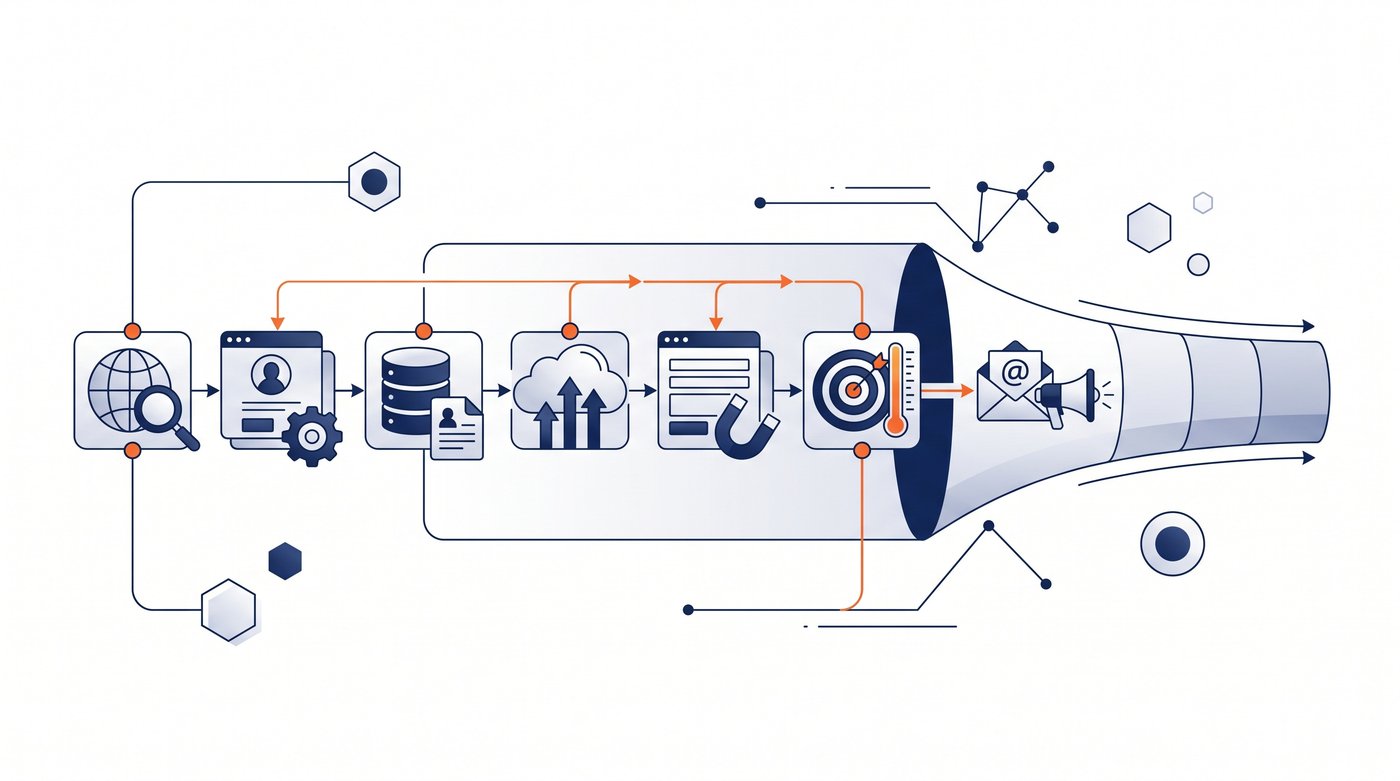
1. LinkedIn search for free market research
LinkedIn itself is the first lead generation tool to test. Search people by role and company, then inspect posts, comments, shared connections, and the creators they follow.
Standard search is enough to answer an important question: are your ideal clients active on LinkedIn and talking about the problems you solve? If the answer is no, more lead generation software will not fix the channel.
The limitation is repetition. LinkedIn search does not turn scattered conversations into a reviewed list for you. Test the channel by finding several recent posts where real potential clients add substantive comments. If you cannot find those conversations manually, software will not create the audience. If you can, repeated checking is the part worth automating.
2. Signado for finding relevant conversations
Signado starts before a contact database. It finds prospects posting and commenting around keywords, creators, and competitors connected to your market. Each person arrives with the original LinkedIn context, company details, lead scoring, and a reason they may be relevant.
That makes it useful when your question is "which prospect has given us a reason to reach out?" rather than "how many B2B leads can we export?" The person is already thinking about the subject, so a message can respond to something they actually said instead of inventing relevance from a job title.
The mechanism is simple. Add a phrase, a creator your buyers follow, a competitor, or one relevant post. Signado finds the people taking part, checks their fit, keeps their words attached, and drafts from that context. In our LinkedIn comments field test, classic targeting produced 25 replies from 139 messages. The Signado method produced 78 replies from 149 messages, a 2.9x lift.
Run one source and inspect the review group. Signado fits when the people match your market and their posts or comments give you a real reason to write. A large contact database is the better choice when emails and phone numbers are all you need. The warm-lead discovery page shows what arrives with each person.
3. LinkedIn Sales Navigator for checking fit
LinkedIn Sales Navigator adds deeper lead and account search, saved searches, recommendations, and alerts. Use it when standard LinkedIn search cannot narrow the market enough.
For a consultant, that might mean filtering by geography, company size, role, industry, and recent activity before deciding whether a prospect deserves contact. Sales Navigator is strongest at finding and organizing people who match a defined client profile.
Try to rebuild a list from clients you would gladly work with again. If the filters surface similar people and the alerts reveal changes worth acting on, Sales Navigator is improving qualification. It does not automatically tell you why a person needs your service now, so pair it with conversation research, referrals, or another context source.
If you need to replace that search layer, the LinkedIn Sales Navigator alternatives guide compares seven options by the output each one produces.
4. Apollo for contact data and list building
Apollo combines a B2B contact database with company filters, list building, enrichment, CRM connections, and outreach features. It is a practical choice when you know the kind of company and role you want but lack reliable contact details.
Apollo and Signado answer different starting questions. Apollo helps find contacts that match filters. Signado helps find people already participating in relevant LinkedIn conversations. A service founder can use either on its own or keep Apollo as the contact database after Signado identifies the person.
Bring Apollo a narrow list from your real market. The people should still hold the listed roles, the emails should be usable, and the records should enter your workflow cleanly. Apollo earns its place when B2B contact coverage is the bottleneck. A large database is not proof that every matching prospect deserves a message.
5. Prospeo for finding one work email
Prospeo is useful when you already know the person and need a verified work email. That makes it a focused point tool rather than a full B2B lead generation platform.
The narrowness is a strength. You can find the prospect through a referral, LinkedIn post, comment, or event, qualify them first, then pay to verify contact data only when there is a reason to reach out.
Use work emails you already know to check Prospeo's verification result and cost per usable address. It fits when qualification happens elsewhere and email lookup is the only missing step. Its narrowness means you do not have to buy a broad database before proving the source.
6. Clay for custom enrichment
Clay is a flexible data and research workspace. It can combine providers, enrich records, apply custom checks, and pass results into a CRM or outreach tool.
Choose Clay when your qualification needs information no single database provides. An agency might check technologies used, hiring activity, website details, or a custom research question before deciding whether a company fits.
A useful Clay trial includes known good and bad prospects in the same table. Check whether the enrichment is current, whether the rules classify both groups correctly, and what happens when a provider returns nothing. Clay earns the extra setup when those custom checks change who you contact. A smaller stack is faster when you only need LinkedIn conversations, basic company fit, and an email.
7. HubSpot for tracking conversations
HubSpot CRM gives you a place to store prospects, lead capture records, notes, activity, and next actions. Its free entry point makes it useful for service businesses that have outgrown a spreadsheet but do not need a complex system.
HubSpot will not create lead quality by itself. Its value appears after you decide whom to track. Keep the source conversation, the reason for contact, the last reply, and the next useful action attached to the record.
Put one real lead through the complete process before importing everything. The record should preserve the source conversation, last contact, reply, and next useful action without a second spreadsheet. HubSpot is useful when that continuity is the problem. A CRM cannot improve a weak source, but it can stop a relevant lead from becoming generic during follow-up.
8. Instantly for email outreach
Instantly is built around cold email sending, inbox handling, lead data, and deliverability. Use it when your chosen contact route is email and the volume has moved beyond individual sending.
The sender belongs near the end of the workflow. A warmed domain and an automated outbound sequence cannot repair weak targeting. Find a relevant prospect, verify the email, and write from the context before building a campaign.
Move one proven list and campaign before changing the whole sending process. Delivery, replies, inbox handling, and the work the campaign still needs are the results to inspect. Instantly fits when those execution details are the bottleneck. Service founders with a small number of high-value prospects may find Gmail or Google Workspace enough while the process stays personal.
9. HeyReach for LinkedIn outreach
HeyReach handles LinkedIn campaign sending and shared inbox workflows. It is more relevant when an agency manages several sender identities or needs selected leads routed into repeatable LinkedIn sequences.
Use it after you know which people deserve outreach. A message tied to a post or comment can work well on LinkedIn because the original conversation is close at hand. A generic automated connection request still feels generic, regardless of the tool.
A short sequence with people you have already qualified is enough to test HeyReach. Check whether the source context reaches the message, whether replies land in one place, and whether the process saves work without making the opener generic. The software earns its place when execution and reply handling are the bottleneck. If volume is low, manual LinkedIn messages may still be better.
How to choose the right B2B lead generation tool
Start with the broken step, then evaluate a tool on that job.
| If this is happening | Fix this first |
|---|---|
| You have no consistent source of potential clients | LinkedIn search or Signado |
| You find interesting people but many are poor fits | Sales Navigator or a clearer client profile |
| You know the person but cannot reach them | Apollo or Prospeo |
| Qualification needs custom company data | Clay |
| Follow-up disappears across notes and spreadsheets | HubSpot |
| Manual sending is consuming the week | Instantly or HeyReach |
Avoid evaluating every feature. Ask whether the tool shortens the lead generation process without removing the judgment that protects your reputation. The best lead generation tools make decisions easier instead of producing more records to review.
Check data quality on your actual market. Test whether the tool can find five people you would genuinely contact, not 5,000 records that look impressive in an export. Verify current pricing, free plan limits, and compliance terms on the vendor's site before paying.
Free B2B lead generation tools
You can test most of this workflow without a large budget:
- LinkedIn search for people, companies, posts, and comments
- Signado's 7-day free trial. Cancel anytime. Built for warm-lead discovery
- Apollo's free entry point for contact search
- Prospeo's free credits for email lookup
- HubSpot's free CRM for lead management
Free plans change. Treat them as a way to prove fit, not as a permanent operating assumption.
A useful free test has a clear result: ten relevant people, five thoughtful messages, and enough replies to learn whether the source and offer connect. More exported B2B leads are not automatically better.
Three lean stacks for service founders
Conversation-first
Use Signado, manual profile checks, and Gmail or LinkedIn messages. This is the smallest setup for a founder who wants relevant context and keeps outreach personal.
Research-heavy
Use LinkedIn Sales Navigator, Signado, Prospeo, and HubSpot. This fits higher-value services where qualification matters more than volume.
Higher-volume
Use Signado or Sales Navigator for the source, Apollo or Clay for data, HubSpot for records, and Instantly or HeyReach for sending. Add each layer only after the previous one produces good leads.
Which tool should you start with?
Start where the workflow breaks.
If you do not know who to contact, find live conversations before buying a sender. If you know the person but lack an email, use a focused lookup tool. If replies and follow-up are getting lost, add a CRM.
The best B2B lead generation tools do not replace your point of view. They help you find the right person sooner and keep enough context to start a relevant conversation. If discovery is the broken step, start a Signado trial, add one source, and judge the first review group by whether you would genuinely contact the people in it.
Choose LinkedIn prospecting tools
Compare search, research, and automation tools by the job you need done and the account access they require.
Start with the LinkedIn prospecting tools guide13 Best Social Selling Tools for B2B Sales (2026)
Compare social selling tools for LinkedIn prospecting, content, listening, outreach, enrichment, and warm-lead discovery from engagement.
Read article8 Best Apollo.io Alternatives for 2026, With Prices
Compare eight Apollo.io alternatives by the problem they fix, with prices checked in October 2026, a year-one cost table, and when keeping Apollo is the better choice.
Read article7 best LinkedIn Sales Navigator alternatives for 2026, compared by price
Compare 7 LinkedIn Sales Navigator alternatives by what you're missing: contact data, direct dials, enrichment, automation, or replies. Prices checked October 2026.
Read articleLand your next client with something relevant to say
Signado finds the people already talking about what you do on LinkedIn, and shows you what they actually said. You reach out with a reason they'll recognize.