How to Scrape LinkedIn Comments for Leads
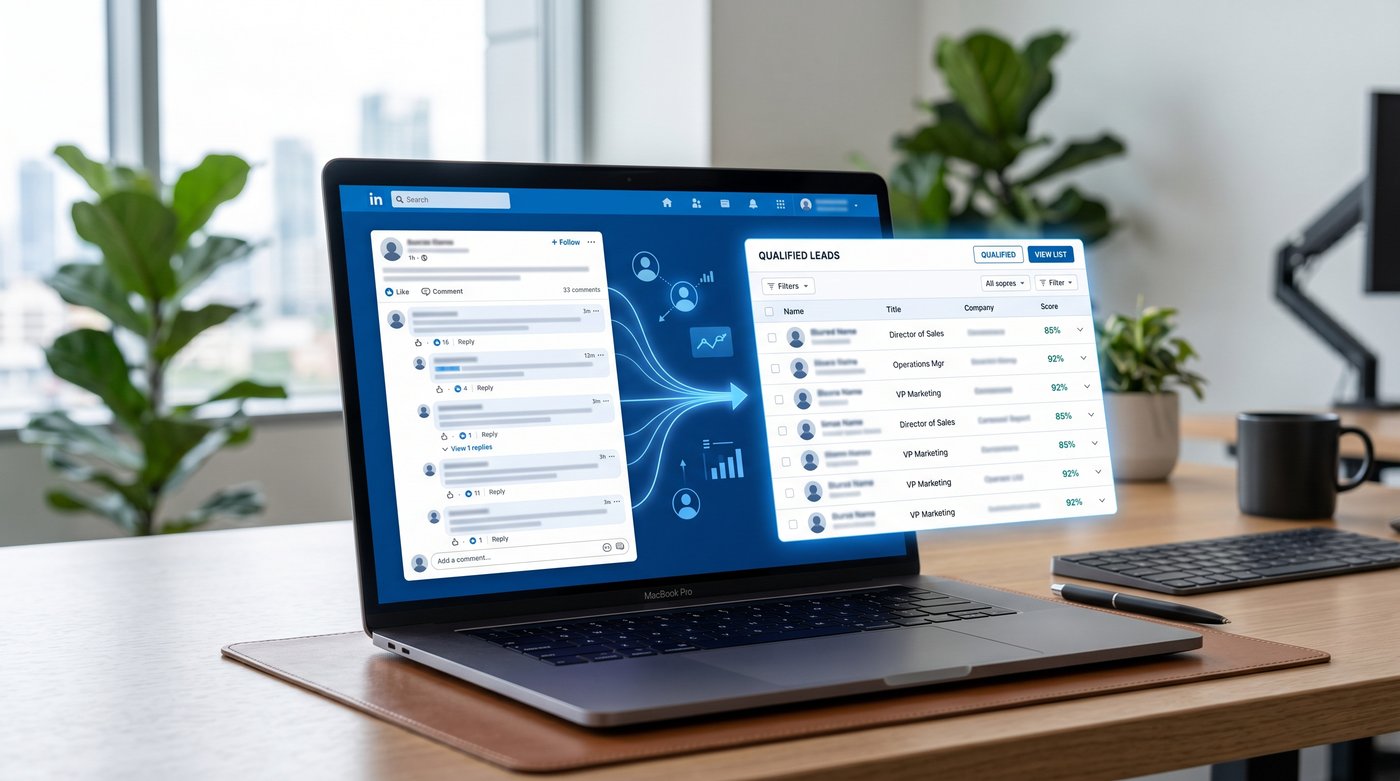
TLDR: A LinkedIn comment scraper turns one post URL into person-level rows: commenter name, profile URL, headline, comment text, and source post. Use Apify for a dataset/API workflow, PhantomBuster for no-code commenter export, and filter the comments before treating anyone as a lead.
A LinkedIn comment scraper is different from a LinkedIn post scraper. Post scraping tells you what was posted. Comment scraping tells you who showed up and what they said.
That changes the workflow. You are no longer collecting post data for research. You are extracting people from a specific conversation. The post URL is the input. Commenter profile URLs and comment text are the output.
Quick comparison: LinkedIn comment scraper tools
Use comment-specific tools here. A general scraper that only returns comment counts is not enough for lead work.
| Tool | Use it when | Output to check |
|---|---|---|
| Apify LinkedIn Comment Scraper | You want post URLs in, dataset/API out, with CSV/JSON export and cost caps | comment_text, commenter_name, commenter_headline, LinkedIn profile URL, reply status, post URL |
| PhantomBuster LinkedIn Post Commenters Export | You want a no-code export from post URLs, Google Sheets, CSV, or a PhantomBuster Leads list | Commenter profile links, names, comment text, CSV/Excel export |
| n8n Apify comments-to-leads workflow | You already use n8n and want extraction plus enrichment into Google Sheets or CSV | Comment data, enriched profile fields, deduped Sheet rows |
| GitHub scripts | You want to learn or run a small internal experiment | Expect maintenance when LinkedIn changes markup or login behavior |
How to scrape LinkedIn comments with Apify
Apify is the cleanest option when you want structured data or a scraper API. The comment-specific actor accepts LinkedIn post URLs, requires LinkedIn cookies, lets you cap comments per post, and saves each comment as a dataset row.
The practical setup:
- Copy the LinkedIn post URL. Use the post itself, not a profile page.
- Open the Apify LinkedIn Comment Scraper actor.
- Paste one or more post URLs.
- Add LinkedIn cookies if the actor requires them.
- Set
maxCommentsPerPostso one large post does not burn the whole run. - Choose the sort order if available. "Most Relevant" can surface the comments LinkedIn already thinks matter; "Most Recent" is better when timing matters.
- Run the actor and export CSV, JSON, Excel, or send the dataset into an API workflow.
The output is the reason this is a different article from post scraping. A good comment row looks like this:
{
  "comment_text": "We tried two tools for this and still cannot get clean CRM routing.",
  "commenter_name": "Jane Smith",
  "commenter_headline": "Revenue Operations Lead at Example Co",
  "commenter_url": "https://www.linkedin.com/in/janesmith",
  "is_reply": false,
  "post_url": "https://www.linkedin.com/posts/example-post...",
  "scraped_at": "2026-06-30T10:30:00.000Z"
}
That is person-level intent data. The comment text gives you the outreach angle. The profile URL gives you the enrichment path. The source post gives you context.
The main Apify mistake is scraping too broadly. Start with 3-5 posts that clearly attract your ICP, cap the number of comments, and inspect the first export by hand before building a recurring workflow. If you have free credits or a free tier, use them for this test, not for a giant first run. If the first 50 rows are mostly peers, vendors, job seekers, and "great post" replies, the scraper worked but the source was bad.
How to export LinkedIn post commenters with PhantomBuster
PhantomBuster is the no-code route. Its LinkedIn Post Commenters Export takes post URLs and returns commenter names, profile links, comment text, and engagement data in a spreadsheet-style output.
The practical setup:
- Put the post URLs in a Google Sheet, CSV, or the Phantom input field.
- Connect your LinkedIn account through PhantomBuster.
- Choose how many posts and commenters per post to process.
- Launch the automation manually or schedule it.
- Download CSV/Excel or use the PhantomBuster Leads list.
PhantomBuster is useful when the posts are known: your own lead magnet post, a competitor launch post, a founder's thread, or a creator post where your buyers reliably comment. It is less useful when you have not decided which posts deserve attention.
If the source is a competitor thread, use the companion guide on how to get clients on LinkedIn before you automate the export.
The limit to respect: huge posts will not always give you every comment. PhantomBuster says its automation extracts as many as LinkedIn loads on the page, and its own guidance is conservative for highly engaging posts. That is not a small footnote. It means comment scraping works best as a targeted prospecting motion, not a promise to drain every viral thread.
The n8n option is worth using when you already want the handoff, not just the scrape. The workflow in the SERP runs Apify to extract comments, enriches the commenter profiles, dedupes the rows, and exports them to Google Sheets or CSV. That saves glue work if n8n is already in your stack. If you want a coding-agent version of that handoff, the guide to using Claude Code or Codex for LinkedIn leads shows how to score and route the CSV. If you are still testing post quality, start with a manual CSV export first.
Which LinkedIn comments are worth pursuing?
Do not enrich every commenter. Comments are warmer than likes, but they are not all buying signals.
| Comment type | What to do |
|---|---|
| "Anyone using a tool for this?" | Keep. The person is asking for a category answer. |
| "We are stuck with this in Salesforce right now." | Keep. There is a current operational pain. |
| "We switched from X to Y last quarter." | Keep or nurture. The account may have a recent vendor story. |
| "Great post" or "Congrats" | Skip. No angle. |
| "DM me, we solve this" | Skip. Vendor, not buyer. |
| Long peer debate with no business pain | Usually skip. Interesting is not the same as contactable. |
| Resource keyword comment on your own post | Keep only if the post attracted your ICP. Lead magnets create noisy lists fast. |
This is where a LinkedIn comment scraper becomes a lead workflow. The scraper gets the comment. The filter decides whether the comment is worth a human touch.
A decent first pass is simple: keep comments with a problem, tool question, vendor comparison, implementation detail, budget/timing hint, or explicit recommendation request. Skip praise, jokes, networking, vendor replies, and comments from people outside your market.
What to do after the export
Once you have the CSV, enrich only the keepers. Pull the company, role, domain, and email if you need email outreach. Deduplicate against your CRM before sending anything.
Then write from the comment, not from the fact that you scraped them.
Weak opener:
Saw you commented on a LinkedIn post about CRM routing.
Better opener:
You mentioned your team still cannot get clean CRM routing after trying two tools. Curious if the issue is ownership rules, duplicate leads, or campaign attribution?
That difference is the whole game. The first line announces surveillance. The second line proves you read the comment.
LinkedIn terms and account risk
LinkedIn's User Agreement and Help Center prohibit unauthorized scraping, crawlers, bots, browser plug-ins, browser extensions, and automated activity. Comment scraping often touches cookies, LinkedIn data, or a logged-in LinkedIn account, so the account-risk question is real.
The practical rule: do not connect a rep's main account to a high-volume experiment you have not tested manually. Start small, avoid automated engagement, and review how the tool handles cookies, storage, exports, and deletion.
If you want the build skipped
You can build comment-led prospecting with Apify, PhantomBuster, n8n, enrichment, and a CRM. Signado handles the full chain from LinkedIn keyword and competitor monitoring through scoring and outreach context. It can also check one public post once: in our single-post field test, the post showed 38 comments including author replies, Signado found 20 other commenters and scored all 20, and 12 were worth reviewing. Use the scraper stack if you want control. Use the finished workflow if you want reps reviewing warm leads instead of maintaining exports. If you work from Claude Code or Codex, the Signado MCP server exposes the same warm leads, email finding, and drafts as MCP tools.
FAQ
What is a LinkedIn comment scraper?
A LinkedIn comment scraper extracts people who commented on a LinkedIn post. The useful fields are commenter name, profile URL, headline, comment text, reply status, timestamp, and source post URL.
How do I scrape LinkedIn comments from a post?
Copy the post URL, paste it into a comment-specific tool such as Apify LinkedIn Comment Scraper or PhantomBuster LinkedIn Post Commenters Export, set the comment limit, run the job, and export CSV or JSON.
Is a LinkedIn comment scraper different from a LinkedIn post scraper?
Yes. A post scraper extracts post-level data: post text, author, date, media, and engagement counts. A comment scraper extracts person-level data: who commented, what they said, and which profile URL belongs to them.
Are LinkedIn commenters better leads than likers?
Usually, yes. A like is a weak engagement signal. A comment can reveal a problem, question, vendor comparison, or timing clue. Still, many comments are generic. Filter before enrichment.
Can I automate LinkedIn comment scraping into Google Sheets?
Yes. The n8n Apify workflow in the SERP extracts comments, enriches profiles, dedupes rows, and exports to Google Sheets or CSV. It is useful if you already use n8n. If not, start with a manual CSV export first.
Choose LinkedIn prospecting tools
Compare search, research, and automation tools by the job you need done and the account access they require.
Start with the LinkedIn prospecting tools guideLinkedIn Post Scraper: How to Scrape LinkedIn Posts for Leads
Use a LinkedIn post scraper to scrape LinkedIn posts, extract commenters and reactors, compare account risk, and turn engagement into enriched leads.
Read articleBest LinkedIn Scraping Tools for Profiles, Posts, and Leads
Compare LinkedIn scraping tools for profiles, Sales Navigator, APIs, and post engagement. See how Signado turns commenters and reactors into leads.
Read article7 best PhantomBuster alternatives by what you need
Compare 7 PhantomBuster alternatives for LinkedIn outreach, data extraction, Sales Navigator export, enrichment, and finding prospects with a reason to reply.
Read articleSkip the scraper setup
Signado watches LinkedIn keywords, competitors, and creators, then delivers the commenters worth contacting, scored and enriched, with what they actually said. No LinkedIn login. Nothing to get your account restricted.