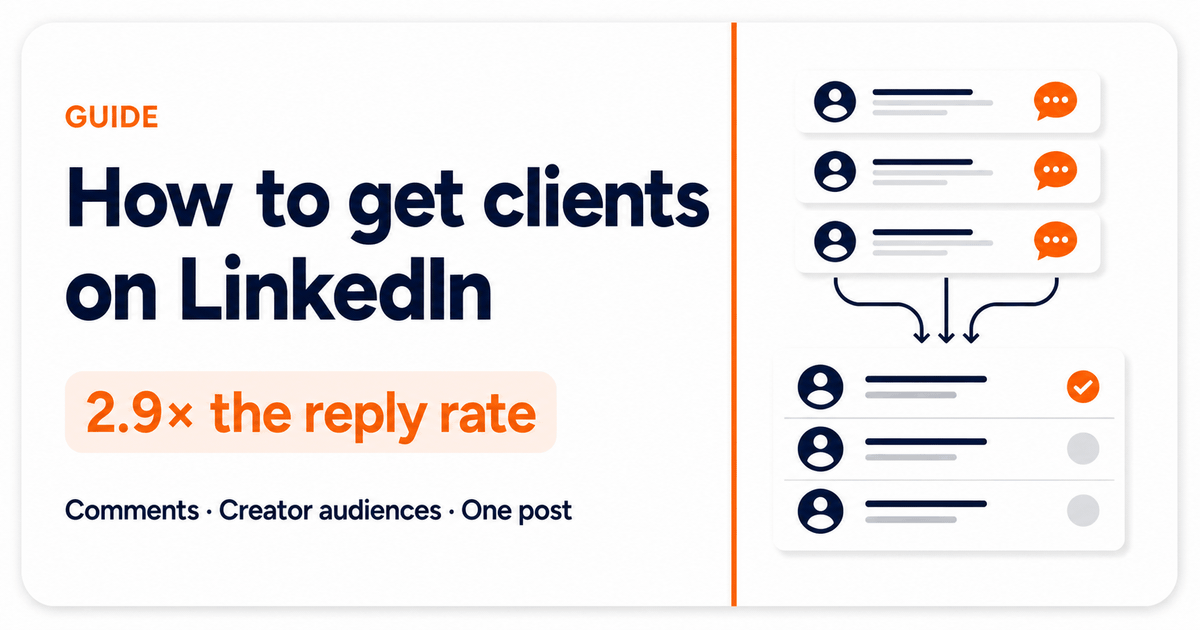
TLDR: LinkedIn lead generation works best when search defines your market and current conversations give you a reason to write. Check the person and company before you contact them. Use paid Lead Gen Forms when you want to collect details from LinkedIn ads.
LinkedIn lead generation means finding people on LinkedIn who could become clients, checking whether they fit your service, and starting a useful conversation. You can do it through paid LinkedIn ads and Lead Gen Forms, or through organic search, content, comments, and messages.
For an agency, consultant, or service founder, the organic route can start small. Your profile and content show that you understand the work. Posts and comments show who has something relevant to discuss now.
Most LinkedIn prospecting stops after a search. Someone matches a job title, company size, and location, so they enter a list. The message then has to invent a reason to exist.
We tested a different starting point. Classic targeting produced 25 replies from 139 messages. Starting with people who had recently posted or commented about a problem we could solve produced 78 replies from 149 messages. The reply rate moved from 18.0% to 52.3% across 1,184 connection requests.
Is LinkedIn good for lead generation?
Yes, if your buyers use LinkedIn and you check more than a job title. The platform gives you professional data, search tools, content, and direct contact in one place. The hard part is choosing people who fit and finding a real reason to contact them.
The volume of LinkedIn outreach has trained people to recognize a template quickly. Expandi's 2026 LinkedIn outreach benchmark analyzed 13.2 million connection requests and 6.7 million outbound messages. Its connection-note reply rate fell from 3.5% to 2.2% between May 2025 and April 2026.
That vendor study covers many audiences and campaign types, so it cannot predict your result. Our smaller field test answers a narrower question: what happened when we changed how we chose people while keeping the channel and offer comparable?
| Result | Classic targeting | Conversation-led targeting |
|---|---|---|
| Connection requests | 700 | 484 |
| Requests accepted | 203 | 221 |
| Messages sent | 139 | 149 |
| Replies | 25 | 78 |
| Reply rate | 18.0% | 52.3% |
The difference came from the reason for writing. Classic targeting told us who fit a market. The second batch added what the person had actually said. That let each message answer a real point instead of opening with "I saw your profile." The response rate changed because the selection method changed.
Twenty-five of the 78 replies became product demos, about one in three replies. Copy still mattered. So did the offer, sender profile, source, and final message. But the test showed that a recent conversation gave more people a reason to answer.
Choose paid or organic LinkedIn lead generation
Paid and organic LinkedIn lead generation solve different problems. Paid ads place an offer in front of a chosen audience. Organic work finds people through search and conversations, then gives you a reason to contact a smaller group.
LinkedIn Lead Gen Forms attach a form to an ad and can fill fields from a member's profile. Choose them when you have a clear offer, an ad budget, and someone ready to follow up with the responses.
The forms can run with Sponsored Content or Message Ads. Campaign Manager shows the form fill rate and cost per lead, then lets you download the leads or send them to a CRM. Those numbers tell you whether the campaign produced qualified leads, not just form fills.
Choose organic lead generation when you can spend time on a smaller number of people and want to use their role, company, post, or comment before writing. Search, content, comments, direct messages, and useful replies all belong to this route.
| Route | Best fit | What you need | What to check |
|---|---|---|---|
| LinkedIn ads and Lead Gen Forms | You want people to respond to an offer without leaving LinkedIn | Audience, ad, form, budget, and follow-up | Cost per useful response and fit of the people who reply |
| Organic LinkedIn lead generation | You want to find and contact a smaller set of potential clients yourself | Clear buyer, credible profile, useful source, and time to review | Fit, reply quality, useful conversations, and clients by source |
You can use both. Keep the results separate so you know whether a lead came from an ad, a search, a post, or a comment.
Start with a buyer definition you can use in under a minute
"Founder at a B2B company" is too broad to guide a decision. A useful client profile tells you which roles can buy, which companies you serve well, where you work, and which people you should remove.
Write down:
- The problem your service fixes
- The roles that feel the problem or approve the work
- The industries, locations, and company sizes you can serve
- Situations that make the work timely
- Exclusions such as competitors, existing clients, and poor-fit regions
Make the definition specific enough to reject people. A founder of a 10-person agency and a founder of a 2,000-person software company share a title, but they do not share the same buying process, budget, or problem.
That definition also improves every source you test later. It gives you a consistent reason to keep one commenter and remove another.
Make your LinkedIn profile prove you can help
A potential client often sees your profile after reading a comment or receiving a connection request. They need to understand who you help, what problem you solve, and what proof supports the claim before they reach your About section.
Your headline should name the buyer and outcome in plain language. Use a professional headshot people can recognize when they see your invitation. Your Featured links should lead to work samples, a useful guide, or a case study.
Recent LinkedIn content should show how you think about problems your target audience already recognizes. A short post, a detailed case study, or a useful newsletter can all work. Pick a format you can keep useful instead of copying somebody else's content calendar.
Content and relationship-building support each other here. Thoughtful comments help build relationships with people who keep seeing your name. Consultant Irina Maltseva reported that about 80% of her 2024 clients contacted her through LinkedIn after she improved her profile, published useful work, and contributed to relevant conversations. Buffer documented the process.
You do not need to become a full-time creator. Publish proof from work you have done, explain a decision you made, or break down a problem you keep seeing. A potential client should leave your profile understanding why a conversation with you might be useful.
How do you generate leads on LinkedIn?
Start with a buyer you can recognize. Use LinkedIn search to check the market, then look at current posts and comments for a reason to write. Check the person and company, choose a message, useful comment, or skip, then record which source brought a useful conversation.
The right lead source depends on what you already know. Sometimes you know the problem. Sometimes you know the audience. Sometimes one relevant post is already open in front of you. Each path can help you find potential clients, but each starts from different evidence.
| Situation | Starting source | What to do | Real receipt |
|---|---|---|---|
| You know the problem buyers discuss | A problem phrase and recent comments | Check the new people joining those conversations each day | 78 replies from 149 messages |
| Search terms find the right subject but the wrong people | A creator your buyers follow | Use the creator's audience to narrow who enters review | 37 people found, 5 worth reviewing, 2 interested |
| One post has already gathered your market | The post URL | Check that conversation once and score every commenter | 20 commenters scored, 12 worth reviewing, 2 Strong fit |
| A competitor already attracts your buyers | The competitor's profile or company page | Watch who joins relevant new conversations | Same audience-first mechanism as a creator source |
These methods don't replace your profile or content. They give that credibility somewhere useful to land.
Use LinkedIn search to define the market, not the message
LinkedIn's free search can help you build a first market list. Filter for role, location, industry, and company size, then check whether the results resemble the market definition you wrote. If the list contains people you could never serve, fix the search before adding more names.
Use Boolean search when one role has several common titles. Write the role with OR, then remove obvious mismatches with NOT. The result should look like your ideal customer profile before you save anyone.
LinkedIn Sales Navigator adds deeper search filters, saved searches, and alerts. That is useful when your target market contains hundreds of possible accounts. It still tells you who matches the filters, not why a connection request or DM belongs in the person's inbox today.
This is where many B2B lead generation guides stop. Search produces new prospects, but it doesn't produce a message. Use search to check the size and shape of the market. Use current conversations to decide which right people deserve attention now.
Use recent comments when you know the problem
Start with the phrase people use in posts about the problem, not the service category you sell. In our test, "cold email is dead" found more relevant conversations than "sales," which was too broad.
We added the phrase to Signado as a Daily keyword source. Signado found matching posts, kept the people posting and commenting, checked their role and company against our market definition, and stored what each person had said. Empty praise in the comments section stayed out of message review.
The useful comments described a failed attempt, asked a question, compared two approaches, or added a real example. Those words gave the first message a subject. The full LinkedIn comments method shows the six steps and the complete 1,184-request comparison.
Use this method when you can describe the conversation clearly. If every result comes from a different industry and role, the phrase is probably describing a broad topic rather than a problem your clients share.
Follow creator audiences when search terms return the wrong people
A phrase narrows the conversation. A creator narrows the audience.
One Canadian consultancy needed owners and operators at 5 to 50-person manufacturers and trades businesses. Three search-term batches found people discussing the right operational pain points, but too many results were consultants, vendors, or people outside Canada.
The consultancy changed the starting source to one Canadian manufacturing founder whose audience already contained business owners and operators. Signado found 37 people around the creator's recent activity. Five were worth reviewing, and two of those five were already engaged on the exact problem.
Use a creator source when the right people gather around a trusted practitioner even though they use many different words. The creator-audience method shows the five keepers and why the other 32 stayed out.
Check one LinkedIn post when the right conversation is already visible
You do not need a daily source when one post has already gathered people you could serve. Paste the post URL into Signado and choose Once. Signado checks that conversation on demand, then stops.
In our real one-post run, the discussion contained 38 comments, including replies from the post author. Twenty other people had commented, and Signado scored all 20. Twelve were worth reviewing. Two were Strong fit, with scores of 79 and 74.
The contrast mattered. A growth director who wrote a detailed comment scored 79. A well-matched CEO who wrote only "Partnership" scored 69 because the words gave less context. The one-post method shows both receipts and three plausible-looking people the score kept out of message review.
Use this when you find a specific announcement, opinion, request, or discussion that has already filtered the audience. One post can be more useful than another month of broad search filters.
Watch competitor audiences without copying their pitch
A competitor or adjacent provider has already gathered part of your market. Their posts can show which people ask questions, describe a constraint, or compare approaches around a problem you also understand.
Add the relevant company or personal LinkedIn profile as a Competitor source in Signado and choose Daily. Signado checks eligible new posts, finds the people taking part, and scores them against your market. The source is the competitor's audience, not the competitor's offer.
Do not contact every person who appears. Remove the source company's employees, other vendors pitching in the comments, people in the wrong role, and praise with no business context. The creator and competitor workflows use the same audience-first logic, so the creator-audience field test is the closest detailed example.
Qualify each LinkedIn lead before you contact them
A relevant post or comment is a reason to look closer. It isn't proof that the person needs your service. Check the person, the company, what they said, and whether you can make a useful next move.
Use four questions:
- Is this person in a role that can use, influence, or buy the work?
- Is the company a fit for the service you can deliver?
- Did the post or comment reveal a problem, question, change, or clear point of view?
- Is the right next move a direct message, a useful comment, or no contact?
Signado does this check for every new lead. It enriches the person and company, scores the lead against your market definition, keeps the original words, and gives one action verdict: message, comment, or skip. You still review the result before treating anyone as a qualified lead.
The skip matters. A senior title at the right company can still be a bad lead when the comment is empty praise, the person works for a vendor, or the company is outside the market you serve. Good LinkedIn lead generation removes these people before they reach your message list.
Keep the sources that continue to produce the right people
The first source is rarely the final source. Treat phrases, creators, and competitors as tests. Read the score reasons, then turn off sources that repeatedly return peers, vendors, or companies you cannot serve.
Signado used this process in its own workspace. Out of 65 saved sources, 10 ongoing sources remained active. One creator source then found 149 people across 25 posts from July 31 through August 28. Of the 148 people still present at review, 97 were worth reviewing and 51 were Strong fit.
The LinkedIn client-finding case study shows the noisy first weeks, the source pruning, and the comments behind three Strong fit people. It measured discovery quality, not replies or sales. That distinction matters when you compare results.
Turn the original conversation into a message or useful comment
Check the person before you write. A relevant comment does not fix the wrong role, company, location, or service fit. Keep the original post beside the comment so you understand what "this worked for us" refers to.
Then write about the point the person made.
Weak:
I saw you commented on our competitor's post. Do you need help with this?
Stronger:
You mentioned that attribution broke after the HubSpot migration. Was the issue in lifecycle stages, source mapping, or the handoff into reporting?
The second message gives the person an easy question to answer. It also proves that the sender read the conversation. That personal touch comes from the person's words. Adding a first name to the same template doesn't do it.
A direct message isn't always the best move. If the person is discussing the problem but hasn't shown direct need, add a useful comment to the post. Answer the question, share a small example, or explain one trade-off. The right buyers can see how you think without receiving a pitch.
Signado drafts from the source post, comment, market definition, and company context, but the message remains reviewable. You can edit or reject it before sending through Gmail, SMTP, Instantly, HeyReach, a webhook, or CSV. Signado doesn't need your LinkedIn login, cookies, or a browser extension.
Keep connection requests and messages low enough to review properly. Don't automate LinkedIn account activity through an unauthorized bot. LinkedIn's User Agreement restricts unauthorized bots and automated methods. Finding good leads is useful. Filling the inbox with spam or putting your professional account at risk isn't.
Build a weekly routine you can measure
Pick one market definition and one method for the first test. Do not mix five new sources and three message styles, then wonder which part worked.
- Review the people found by your active sources.
- Remove poor-fit roles, companies, and empty comments.
- Read the original post before approving a message.
- Publish one useful piece of proof from your own work.
- Record connection acceptance, replies, useful conversations, calls, and client fit by source.
After a few cycles, you will know which topics attract buyers, which creators attract peers, and which comments give you a natural opening. That information is worth more than somebody else's daily message quota.
If you want a smaller habit, LinkedIn's 3-2-1 approach suggests three useful comments, two messages with a reason, and one real conversation each week. Track the source in your CRM or a simple sheet so the routine produces evidence, not activity for its own sake.
Start with one conversation this week
Your profile proves you can help. LinkedIn activity gives you a timely reason to write. Signado checks which people fit before you message them.
Choose one problem your clients discuss and add a phrase, creator, competitor, or post connected to it. Review the first people against a market definition you can explain in one minute. Then write to the few whose role, company, and words support a real conversation.
If you want Signado to run that process, see every Signado method or start a free account. The method pages contain the complete runs, scores, comments, and results behind this guide.
Articles in this topic
Find clients on LinkedIn
Build a clear weekly process for finding people, checking fit, and starting a useful conversation.
Lead Generation for Marketing Agencies: A Simple Client System
Build a simple way to find clients for your marketing agency. Choose who to contact, give them a real reason to reply, and see what brings good clients.
Read articleHow to Get Consulting Clients on LinkedIn
Find consulting clients on LinkedIn with a weekly method for choosing buyers, checking fit, using real conversations, and writing useful messages.
Read articleHow to Get SEO Clients on LinkedIn
Use LinkedIn to get SEO clients with a clear profile, useful proof, focused search, relevant comments, and messages tied to what buyers said.
Read articleFounder Led Sales: How to Win Clients Yourself
Build a founder led sales system using referrals, cold email, LinkedIn messages, useful posts, calls, and simple follow-up.
Read articleHow to Use LinkedIn Sales Navigator for Lead Generation
Use LinkedIn Sales Navigator to find the right accounts and people, save searches, read alerts, check fit, and decide who is worth contacting.
Read articleLinkedIn Prospecting Message Templates and Examples
Use LinkedIn prospecting message templates for posts, comments, referrals, connection requests, and follow-ups. Learn what to change before you send.
Read articleLand your next client with something relevant to say
Signado finds the people already talking about what you do on LinkedIn, and shows you what they actually said. You reach out with a reason they'll recognize.