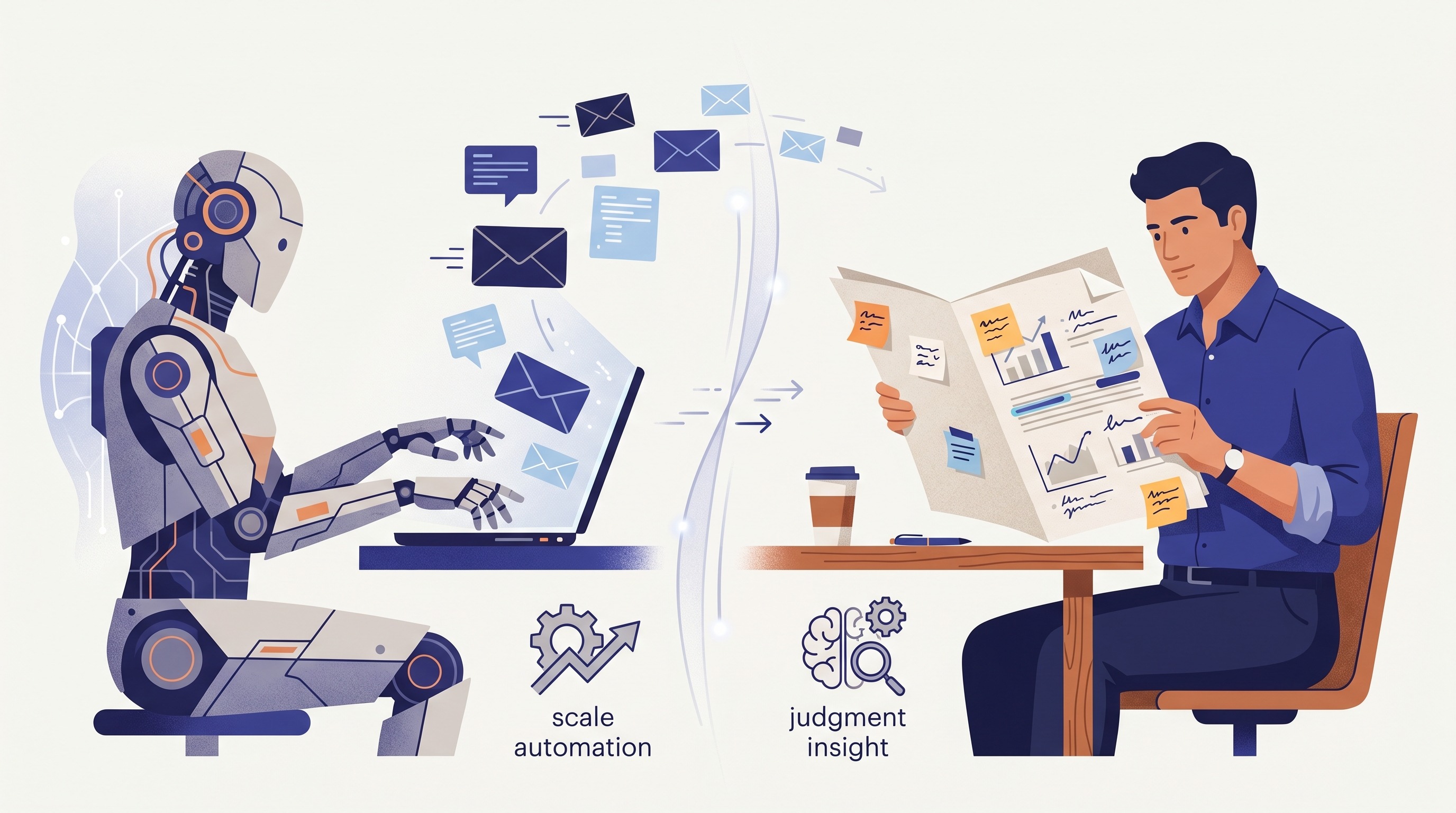
TLDR: An AI SDR is software that researches prospects, writes outreach, sends follow-ups, sorts replies, and books simple meetings. It suits a repeatable offer and a large, checked audience. It is a poor fit when each client needs careful research, judgment, and a personal conversation.
An AI SDR is software that handles parts of the work done by a sales development representative. It can research a prospect, write an email, run follow-ups, qualify simple replies, and book a call. Some products focus on outbound email. Others handle inbound website conversations or both.
For an agency or consultancy, the useful question is not whether the software can send more messages. It can. The question is whether your client acquisition process is clear enough to automate without making the work worse.
If you know who you want to reach, your offer is easy to explain, and your message already gets replies, the tool can remove repetitive work. If those parts are still unclear, it will produce more activity without solving the real problem.
What is an AI SDR?
An AI SDR tool is an AI sales agent built to automate sales development work. It combines contact data, research, workflow rules, and a language model. The tool then completes tasks that a human SDR would normally handle before a serious sales conversation starts.
Typical tasks include:
- Finding or importing prospects
- Researching the person and company
- Writing a first message
- Sending email and follow-ups
- Sorting replies by intent
- Using set rules to qualify leads
- Offering a calendar link to book meetings
- Recording activity in a CRM
The term can be confusing because vendors use it for different products. One product may be an outbound email tool with an AI writer. Another may be an inbound chatbot that qualifies website visitors. A third may include a contact database, mailbox setup, and reply handling. These are all AI SDR platforms, but they do not offer the same workflow. Like other sales tools, each one needs to be judged on the work it actually does.
That is why the label matters less than the exact workflow. Salesforce describes AI SDRs as agents that can handle prospecting, outreach, follow-up, qualification, and meeting scheduling. Qualified uses the same term for software focused more heavily on inbound conversations. Both fit the category, but they solve different problems.
Is an AI BDR the same thing?
In most vendor copy, AI SDR and AI BDR mean almost the same thing. The older human roles are sometimes split between inbound and outbound work. AI products blur that line.
Do not pick a product because it calls itself an AI BDR, AI sales agent, or AI SDR agent. Check the actions it can take, the data it needs, and the point where a person takes over. The best AI tool is the one that fits a process you can explain and inspect.
How does an AI SDR work?
Most products follow a simple chain. They take a group of prospects, gather context, create messages, send them through a connected channel, and react to the response.
The quality of each step depends on the step before it. Weak contact data leads to poor research. Poor research leads to generic outreach. A good language model cannot repair a list filled with the wrong people.
1. It starts with contacts and rules
It needs a source of prospects. The source may be the vendor's database, a connected CRM, an Apollo search, or a CSV. Some products build the list. Others only work the list you give them. Check one known prospect before trusting the rest of the database.
You also set rules. These usually cover company type, job title, location, exclusions, sending limits, and the result that counts as qualified. The rules matter because an AI agent will follow a weak definition very efficiently.
If the main problem is building a clean contact list, this may be more product than you need. A contact database may be the direct answer. The Signado and Apollo comparison explains the difference between finding names in a database and finding people with current context attached.
2. It researches and writes
The tool checks the data sources available to it. That may include a company website, CRM notes, a LinkedIn profile, recent news, or enrichment fields. It turns that data into a short research summary and uses the summary to write a message. Better source data helps the tool personalize outreach without inventing details.
This is where many demos look better than daily use. A hand-picked prospect may have a clear website and useful news. A normal list includes holding pages, old job titles, duplicate companies, and people whose role has changed. Test the tool on ordinary records, not only the cleanest accounts you can find.
3. It sends and follows up
An outbound product sends through a mailbox or a connected email platform. It can schedule the first outreach message, stop after a reply, and send the next message when no reply arrives.
An inbound product starts when someone visits a site, opens a chat, fills a form, or responds to an earlier message. It may ask qualification questions and offer a meeting slot.
The sending channel is not a small detail. Ask whether the product includes mailboxes, connects to your current sender, or charges for each contact and email. If it offers automated LinkedIn messages, ask exactly how it connects to your account.
4. It reads the reply and chooses a path
The AI classifies replies into simple groups such as interested, later, wrong person, unsubscribe, or unclear. It can then book a meeting, schedule another outreach step, update the CRM, or ask a person to review the conversation.
Clear replies are the easy part. "Send me the details" and "remove me" need little judgment. A reply such as "we tried this last year and the team hated it" contains useful history, an objection, and a possible opening. That is where human review earns its place.
What can an AI SDR automate well?
Use AI for work that follows a stable rule and produces an output a person can check. AI SDRs are less reliable when the task depends on unstated context or a relationship that exists outside the system.
| Work | What the AI SDR can do | What a person should check |
|---|---|---|
| Prospect research | Read set sources and prepare a summary | Whether the source is current and relevant |
| First message | Draft from a template and account data | Whether the message gives a real reason to reply |
| Follow-ups | Send on time and stop on a reply | Whether another message is still appropriate |
| Lead qualification | Apply firmographic and reply rules | Ambiguous need, authority, and fit |
| Meeting booking | Offer slots and record the meeting | Complex requests or several people involved |
| CRM updates | Log activity and change fields | Duplicate records and wrong ownership |
For a small agency, follow-ups and record keeping are often the safest starting point. The rules are clear, and mistakes are easy to spot. When the AI handles repetitive tasks, it can save review time. Fully autonomous prospect selection and messaging carry more risk because the agent can be wrong before the first email is sent.
The right level of AI control depends on how expensive a bad message is. If you sell a repeatable service to a large group of similar companies, one weak message is a small mistake. If your possible client list is small and everyone knows each other, the same mistake matters much more.
What can an AI SDR not infer?
An AI SDR cannot reliably infer that a person needs your service now unless its inputs contain real evidence. A matching title and company size show possible fit. They do not show a current problem, an active project, or interest in hearing from you.
This distinction is easy to lose because AI output sounds certain. A research summary may say that a company is "likely focused on growth" because it hired several people. That is an interpretation, not a fact about what the buyer wants.
It cannot recover context it never received
The AI only knows what is in its connected data. It may not know that you spoke to the founder last year, that another consultant introduced you, or that the company rejected the same offer for a specific reason.
A CRM can reduce this gap, but only when the history is complete and current. Before allowing autonomous outreach, test whether the agent respects exclusions, previous conversations, client accounts, partners, and people who asked not to be contacted.
It cannot prove buying intent from static fit
Industry, headcount, title, and revenue can help qualify a company. They cannot tell you what the person is working on this week.
Current context gives you a stronger input. A founder asking for help with a manual process, or an operations lead explaining a broken workflow in a LinkedIn comment, gives you something specific to assess. It still does not prove that the person will buy. It does give you a real reason to look closer.
The Signado methodology uses that order: start from something a person said, check the person and company, then decide whether to comment, send a direct message, or skip them.
It cannot own a nuanced conversation
An AI SDR can handle common replies if the acceptable response is known. It is weaker when the reply changes the meaning of the conversation.
Agency work often starts with partial information. A prospect may describe a symptom without understanding the cause. They may need a smaller service than the one you planned to offer. They may also be a useful referral partner rather than a client. Those calls need judgment, not another automated branch.
AI SDR vs human SDR: which should a small agency use?
Use an AI SDR when you already have a repeatable process and the main constraint is time. Keep a person in control when you are still learning who buys, why they buy, or how your offer should be explained. For most agencies, the useful answer is shared work, not full replacement.
| An AI SDR may fit when | Keep more human control when |
|---|---|
| You sell a clear, repeatable offer | Each project is shaped around the client |
| You have a large group of similar prospects | Your possible client list is small |
| You know which message already works | You are still testing the offer and message |
| Your contact data is checked | The list is old or built from weak filters |
| A person can review unclear replies | Nobody has time to supervise the agent |
| A missed or weak message has limited cost | Reputation and referrals drive most work |
There is also a simpler test. Write down the exact sales process you want the AI SDR to run. Include the input, decision rules, output, and stop conditions. If the process takes several pages of exceptions, it is not ready to run without close review.
Start with one segment and one offer. Review every prospect and every message during the pilot. You are testing whether the workflow is sound, not whether the software can produce activity.
When is current context a better input?
Current context is a better starting point when a personal service depends on timing and relevance. It narrows the outreach from "find anyone who matches" to "check this person because they are already discussing the problem."
This matters for agencies and consultants with broad possible markets. A web agency could contact almost any company with an old site. That fact is too common to create a useful message. A founder posting about a failed migration gives the agency a clearer problem, a recent moment, and the person's own words.
The same rule applies to comments. Someone explaining how they manage a process by hand may be closer to the problem than the author of the original post. Their comment is not permission to pitch. It is evidence worth checking.
An AI SDR can use this context if you feed it into the workflow. The agent should keep the original words, qualify the person and company, and let a person decide what happens next. Without that source context, AI outreach often becomes a polished summary of the company website.
How should you evaluate an AI SDR?
Evaluate the whole workflow on your own prospects. A polished demo tells you that the product can work on selected data. It does not tell you how it handles your list, your offer, or the replies common in your market.
Use these checks before signing a long contract:
- Run it on a prospect you know well, then repeat the test on a different prospect. Compare each research summary with facts you already know and mark every stale or invented point.
- Read the outreach messages without looking at the generated score. Ask whether each message contains a specific reason to write now.
- Test bad inputs. Include a former client, a competitor, a duplicate record, an old title, and someone on your exclusion list.
- Send several types of reply. Use a clear yes, a polite no, an objection, a referral, and an unclear answer. Check the route chosen for each one.
- Inspect the handoff. The person taking over should see the source, research, messages, replies, and reason the lead was qualified.
- Check channel requirements. Confirm which logins, mailboxes, cookies, extensions, and outside tools the product needs.
- Calculate the full cost. Include contact data, email finding, sending, extra mailboxes, usage credits, setup, and the time spent reviewing output.
- Set a stop rule. Decide what error rate, reply quality, or supervision cost would make you end the test.
Do not judge the pilot by messages sent. Judge it by useful conversations created without harming the relationships you wanted to build.
Where does Signado fit?
Signado is not an AI SDR. It is not an AI email sender or an autonomous lead generation agent. It does not run cold outreach, and it does not send automated LinkedIn messages.
Signado watches LinkedIn posts and comments around the topics, creators, competitors, and posts you choose. It checks the person and company against your business profile, keeps what the person said, and gives each lead a next-action verdict such as direct message, comment, or skip.
That changes the input to your client acquisition work. Instead of asking an AI agent to invent a reason to contact someone from static company data, you start with a real conversation and decide whether it matters.
Signado never connects to your LinkedIn account. It does not ask for your LinkedIn login, cookie, or browser extension. You can review the leads in Signado or use the Signado MCP server from Claude Code or Codex. The important limit is clear: Signado finds and qualifies the opportunity, but a person still owns the decision and the conversation.
An AI SDR and Signado can be used together, but they solve different parts. Signado can supply current context and a qualified lead. An AI SDR can use approved leads to prepare email and manage repeatable follow-ups. You do not need both unless both problems exist.
Choose the smallest useful tool
An AI SDR makes sense when a working process has too much repetitive work. It does not make sense as a substitute for a clear offer, good contact data, or judgment about who deserves a message.
Map your current process first. Mark the steps that follow stable rules, then automate one of them. Keep prospect choice and unclear replies under human review until the evidence says otherwise.
If your harder problem is finding people who are already talking about issues you solve, see how Signado finds warm leads without connecting to your LinkedIn account.
FAQ
Does an AI SDR need a CRM?
Not always, but most AI SDRs work better with one. The CRM gives the tool account history, ownership rules, exclusions, and a place to record replies. If you do not use a CRM, check where the tool stores contacts, conversations, and opt-outs before you buy.
Does an AI SDR include contact data?
Some do. Others expect you to connect a contact database or upload a list. Ask where the records come from, when they were checked, what happens when data is wrong, and whether contact credits cost extra.
Can an AI SDR send LinkedIn messages?
It depends on the product. Some focus on email, while others offer LinkedIn steps or connect to a separate automation tool. Check whether this requires your LinkedIn login, cookie, or browser extension. Signado does not send automated LinkedIn messages and never connects to your LinkedIn account.
Use AI agents for lead generation
Give Claude, Codex, or ChatGPT better lead context while keeping the final call in human hands.
See how the Signado MCP server worksHow to find leads on LinkedIn using Claude code or codex for outreach
Use Claude Code or Codex to turn LinkedIn engagement exports into scored leads, outreach context, and a repeatable workflow.
Read articleWhat Is a GTM Engineer? The 2026 Role, Stack, and Salary Explained
A GTM Engineer builds the automated systems that power B2B revenue: enrichment pipelines, outbound workflows, CRM integrations. Here's what the role actually does, the tech stack, salary data, and how to become one.
Read articleLand your next client with something relevant to say
Signado finds the people already talking about what you do on LinkedIn, and shows you what they actually said. You reach out with a reason they'll recognize.