How to find leads on LinkedIn using Claude code or codex for outreach

TLDR: Use Claude Code or Codex to build the system around LinkedIn engagement data, not to blindly automate LinkedIn. Give the agent a clean CSV, define your ICP, have it normalize and score the rows, then draft context a human can review before outreach.
Claude Code and Codex can help you find LinkedIn leads when the input is clear: comments, post URLs, profiles, companies, and the reason each person is interesting.
They are competing products, not interchangeable variants: Claude Code is Anthropic's agentic coding tool, while Codex is OpenAI's coding agent; Claude Code tends to fit local terminal and MCP-heavy workflows, and Codex fits repo tasks, cloud/background work, and reviewable code changes.
They are bad at one thing people keep asking them to do: "go scrape LinkedIn and send messages." That turns the coding agent into a fragile browser bot, and it creates account-risk problems before you even know whether the source is good.
The better use case is narrower. Use the agent to build a small lead-processing workflow from engagement data you already have or are allowed to export. That workflow can clean rows, score ICP fit, keep the post or comment context attached, and prepare outreach notes for review.
What should Claude Code or Codex actually build?
The agent should build the plumbing after extraction: validation, dedupe, scoring, enrichment handoff, and draft context. If the source data is wrong, the workflow still fails. But if the source is good, the agent can turn a messy export into a list a rep can actually work.
| Workflow step | Input | Agent job | Output |
|---|---|---|---|
| Collect engagement rows | CSV from a comment tool, manual review, or approved API | Validate required fields and remove broken URLs | Clean prospects.csv |
| Normalize profiles | Name, headline, company, profile URL | Split company, role, source post, and comment context into stable columns | Consistent schema |
| Score fit | ICP rules and exclusion list | Apply clear scoring logic and explain each score | Ranked leads |
| Prepare handoff | Lead row plus source context | Draft a short note, CRM field map, or campaign variable set | Reviewable outreach context |
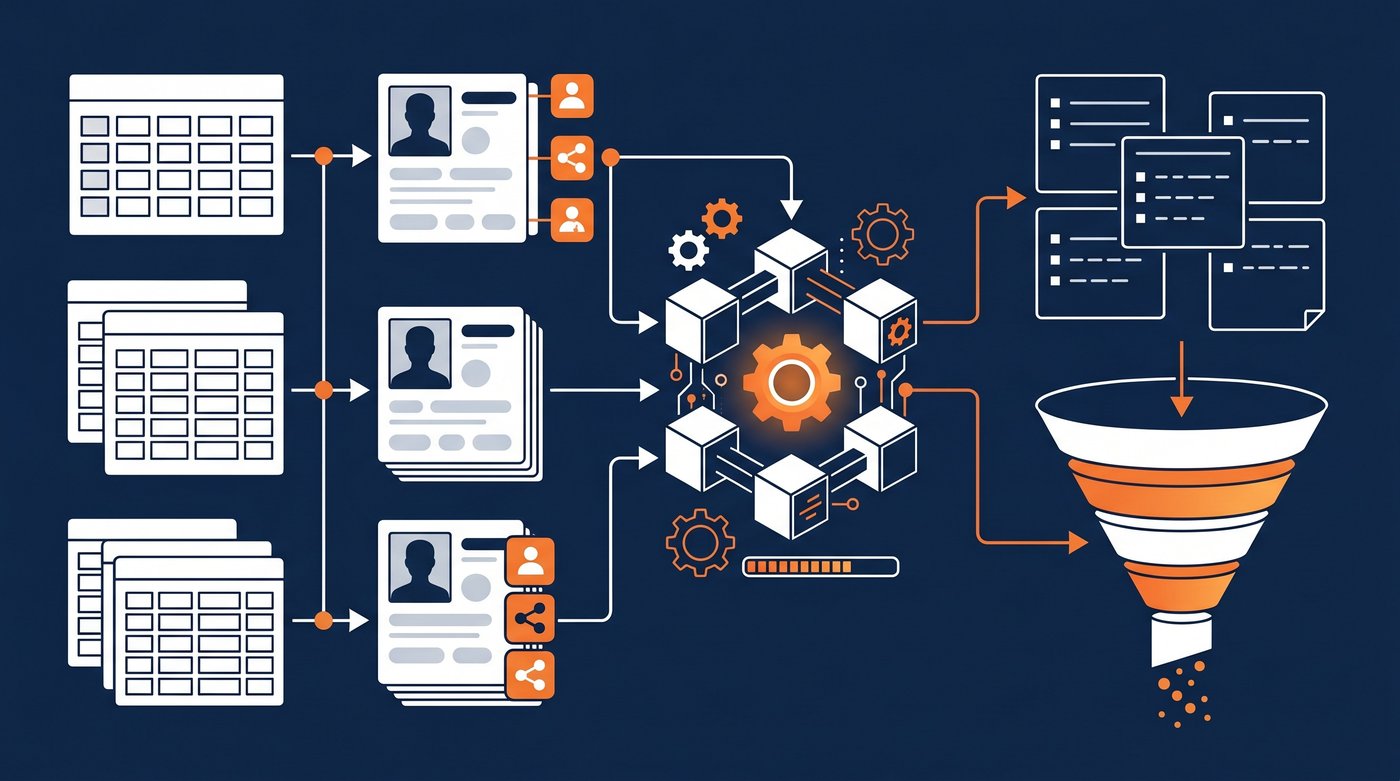
This is where coding agents are genuinely useful. OpenAI describes Codex CLI as a coding agent that can read, change, and run code locally. Anthropic describes Claude Code as an agentic coding tool that reads the codebase, edits files, runs commands, and works across development tools.
Use those strengths. Let the agent write the parser, tests, and scoring rules. Don't make it guess what counts as a lead.
Start from a safe and useful data source
The first decision is not Claude versus Codex. It is the source data.
Good inputs:
- A manual spreadsheet from 10-20 relevant LinkedIn posts
- A CSV from a LinkedIn comment scraper
- A post export from a LinkedIn post scraper
- A short list from the guide on how to get clients on LinkedIn
- A CRM or Apollo export where you already have accounts but need recent context
- A Signado export through MCP for Claude Code and Codex, if you already use Signado
Bad inputs:
- "Visit every profile in this Sales Navigator search"
- "Scrape all commenters from this viral post"
- "Send connection requests to everyone who matches this title"
- "Use my logged-in browser until the list is done"
LinkedIn is direct about this. Its Help Center says it does not permit crawlers, bots, browser plug-ins, browser extensions, scraping, or automated activity. Its User Agreement also prohibits software, scripts, robots, crawlers, browser plugins, add-ons, or other processes used to scrape or copy LinkedIn services and data.
So keep the agent on the processing side unless your legal and compliance setup says otherwise. A small clean export teaches you more than a huge risky one.
Claude Code workflow: build the local pipeline
Claude Code is a good fit when you want to work in a local folder with scripts, CSV files, tests, and prompts. The goal is not a full SaaS product. The goal is a reliable lead-prep folder a founder or GTM engineer can rerun.
Create a folder like this:
linkedin-leads/
  input/
    engagement-export.csv
    icp.md
    suppressions.csv
  output/
  scripts/
  README.md
Then give Claude Code a precise job:
Read input/engagement-export.csv and input/icp.md.

Build a script that:
1. Validates required columns: name, linkedin_url, headline, company, comment_text, source_post_url.
2. Removes duplicate linkedin_url rows.
3. Scores each lead from 0-100 against the ICP.
4. Adds score_reason, outreach_angle, and recommended_next_step.
5. Writes output/scored-linkedin-leads.csv.

Add a small test file with 5 rows so we can verify the scoring rules.
Do not send messages or visit LinkedIn.
That prompt gives the agent boundaries. It has files, fields, output, and a hard stop. You can then ask it to inspect the first output and improve the rules.
The scoring rules should stay readable. If a lead gets 86, a human should understand why. A black-box "good fit" label is less useful than: "VP Sales at 120-person B2B SaaS company, commented about SDR routing, not on suppression list."
Codex workflow: make the process repeatable
Codex is strong when you want the workflow to become real software. Use it after the first Claude Code or local script pass works.
The Codex web docs describe a cloud version that can work on tasks in the background and in parallel in its own environment. That is useful once the workflow needs a repo, issue list, pull requests, tests, and cleanup. For a scrappy founder, Codex can turn "this script worked once" into "this command runs every Friday and fails loudly when the CSV shape changes."
Good Codex tasks:
- Add schema validation for the lead CSV.
- Write tests for duplicate handling and score thresholds.
- Add a
--min-scoreflag so reps only export strong leads. - Create a HubSpot or Pipedrive field map.
- Build a simple review page that shows the comment, score reason, and draft note.
- Add a README so another teammate can run the workflow.
This is a better use of Codex than asking it to control LinkedIn. You get durable code instead of a brittle browser routine.
How should the agent score LinkedIn engagement leads?
Score the reason to act, not just the profile. A perfect title with a generic comment is still weak. A slightly imperfect title with a direct pain comment may be worth a look.
| Field | Strong signal | Weak signal |
|---|---|---|
| Role fit | Buyer, budget owner, team lead, founder | Student, recruiter, vendor, peer consultant |
| Company fit | In your ICP size, region, market, and business model | Too small, wrong market, current customer, competitor |
| Comment quality | Problem, tool question, vendor comparison, implementation detail | "Great post", emoji, broad praise, joke |
| Source quality | Competitor, category creator, buyer-heavy thread | Viral generic post or hiring announcement |
| Timing | Recent comment or active conversation | Old thread with no current context |
The output should include two separate fields: score and score_reason. The score helps sort. The reason helps a rep trust the row.
Avoid fake precision. A 91 versus 93 rarely matters. Use broad buckets if the team is small: work now, nurture, skip.
Draft notes, not automated outreach
Once the lead list is scored, the agent can help with writing. Keep it focused on notes a person reviews.
For each lead with score >= 70:
- Write a 1 sentence outreach angle using the comment_text and source_post_url context.
- Do not mention scraping.
- Do not say "I saw you commented on LinkedIn" unless the comment is central to the note.
- Keep the note under 45 words.
- Save results to output/review-notes.csv.
The best drafts sound like they came from the comment, not the tool. "You mentioned CRM routing breaks after territory changes" is better than "I noticed your engagement on a post."
If you want connection requests, browser automation, or message sending, slow down. That is no longer lead preparation. It is platform automation, with a different risk profile.
When to stop building and use a product
Build this yourself if you enjoy owning the workflow. You will learn which posts matter, which comments are real buying context, and which scoring rules your team trusts. That is useful even if the first version is just CSV files and a script.
Stop building when the maintenance becomes the job. If your morning now includes checking source posts, running exports, fixing broken fields, deduping rows, enriching leads, rewriting score rules, and pushing CSV files into outreach tools, you have built a small internal product.
That is where Signado fits. It monitors LinkedIn keywords, creators, and competitors, then turns relevant posts and comments into scored warm leads with the context attached. If you already work from Claude Code or Codex, the Signado MCP page shows how to list warm leads, export rows, find emails, and save AI outreach drafts from the agent environment.
The practical rule: use Claude Code or Codex to test and shape the workflow. Use a product when the workflow is proven and the team needs it running without someone babysitting scripts.
FAQ
Can Claude Code find LinkedIn leads?
Claude Code can help build the workflow around LinkedIn leads: parse exports, score fit, enrich rows through approved tools, and draft outreach context. It should not be treated as permission to automate LinkedIn scraping or sending.
Can Codex do the same workflow?
Yes. Codex can inspect a repo, edit files, run commands, write tests, and help turn a one-off script into a repeatable lead-processing tool. It is especially useful when you want validation, tests, and handoff documentation around the workflow.
What data should I give the agent first?
Start with a small CSV containing profile URL, name, headline, company, comment text, source post URL, and manual notes. A small clean sample helps the agent build better checks than a noisy 5,000-row export.
Should an AI agent send LinkedIn messages for me?
Be careful. LinkedIn prohibits unauthorized scraping, bots, browser extensions, and automated activity. A safer workflow is to let the agent score leads and draft notes, then have a human review and send through approved channels.
When should I use Signado instead of building this?
Use Signado when you want the warm-lead workflow already running: LinkedIn keyword, creator, or competitor monitoring; ICP scoring; email finding; and outreach context through the app or MCP for Claude Code and Codex.
Use AI agents for lead generation
Give Claude, Codex, or ChatGPT better lead context while keeping the final call in human hands.
See how the Signado MCP server worksWhat Is an AI SDR, and Should a Small Agency Use One?
What is an AI SDR? Learn what it automates, what it cannot infer, and whether an agency or consultancy should use one.
Read articleWhat Is a GTM Engineer? The 2026 Role, Stack, and Salary Explained
A GTM Engineer builds the automated systems that power B2B revenue: enrichment pipelines, outbound workflows, CRM integrations. Here's what the role actually does, the tech stack, salary data, and how to become one.
Read articleRun it from Claude Code, Codex, or ChatGPT
Signado's MCP server puts warm leads, email finding, and outreach drafts inside your AI tools. OAuth sign-in, no API keys, same credits as the app.