
TLDR: AI lead qualification should do more than score a name. It should check the company, the person, and the evidence, then explain the result and suggest a next move. Give the AI clear rules and source data. Keep a person involved when the facts are weak or the decision matters.
AI lead qualification uses software to research a potential client, compare the facts with your rules, and suggest what to do next. The useful output is not a mysterious score. It is a decision you can check: contact, comment, research, wait, or skip, with a clear reason beside it. Used well, AI tools help you qualify leads and prioritize a list without hiding the evidence.
That matters for an agency, consultant, or B2B service business. A lead may match your usual company size and still have no link to the work you sell. Another person may have a less obvious title but be explaining the exact problem you solve.
Software can review those facts faster and in the same order every time. It cannot make poor data true. The quality of the decision still depends on the rules, sources, and evidence you give it. The same test applies to any AI lead generation tool: more names are not useful when you cannot explain why they fit.
HubSpot's 2025 survey of 1,000 people working in sales found that 84% said AI saved time and 82% said it surfaced better insights from data. Those gains are useful only when the input and decision are clear enough to check.
How AI lead qualification works
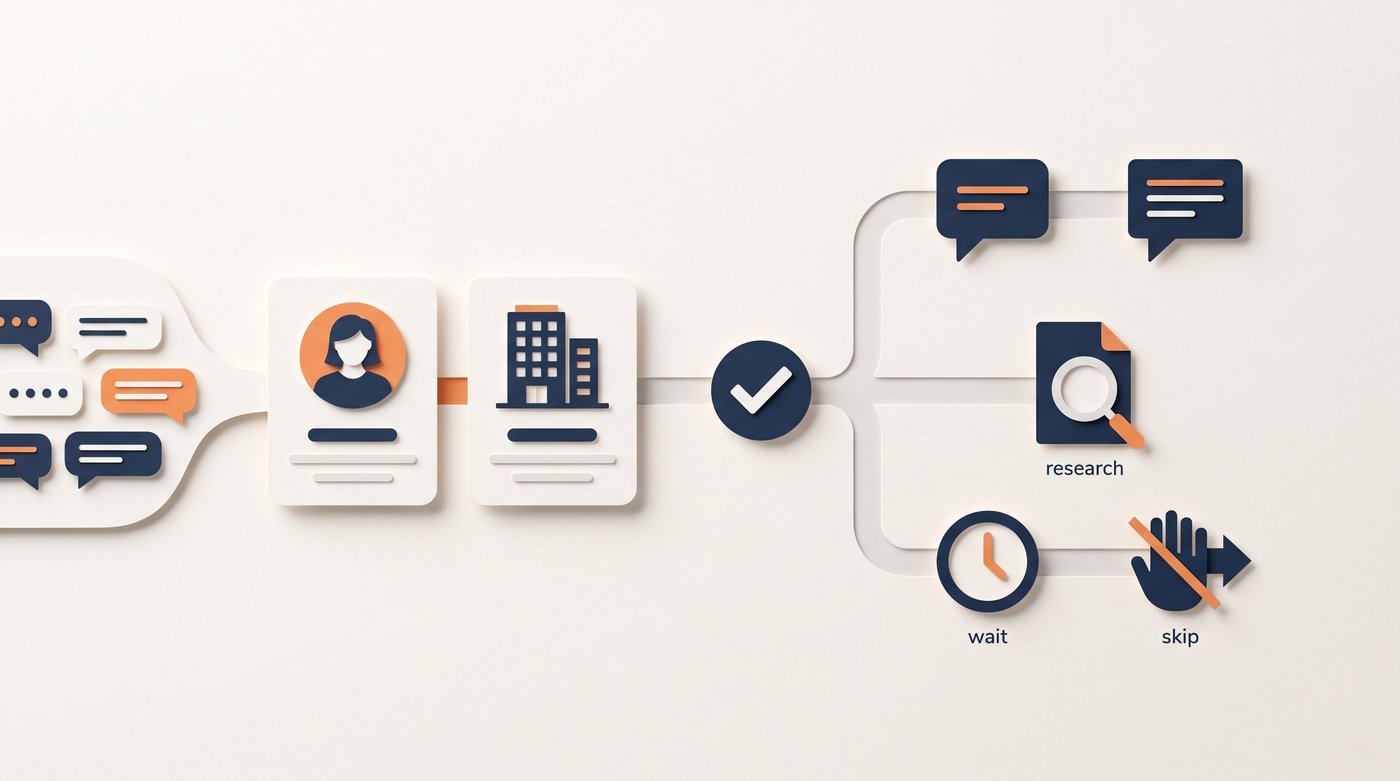
The process collects facts about a person and company, checks them against your qualification criteria, and recommends an action. It can read more context than a basic filter and explain why a lead looks useful. The result should show its sources and make missing information clear instead of filling gaps with guesses.
The process usually has five parts:
| Step | What the software does | What you should be able to check |
|---|---|---|
| Collect | Reads the person, company, source, and recent activity | Where each fact came from |
| Check | Confirms basic details and finds missing fields | Which facts are current and which are unknown |
| Compare | Applies your client and exclusion rules | Which rule passed or failed |
| Decide | Chooses a result and gives a reason | Whether the evidence supports the result |
| Act | Suggests a message, comment, more research, a wait, or a skip | Whether the next move fits what the person actually did |
Lead scoring is narrower. It gives each lead points so you can prioritize a list. Predictive lead scoring uses past results to estimate which leads may turn into clients. It needs enough clean history to find a real pattern. A qualification tool can use that score, but it should also explain the evidence and choose a next move.
A conversational lead qualification agent does something different again. It asks an inbound lead questions through chat or voice, records the answers, and routes the person based on set rules. That works when the person has already started a conversation. Outbound qualification has to work from research before you have an answer.
The lead qualification process explains the checks themselves, including company fit, the person's role, the problem, timing, and missing facts. The tool should apply a clear process like that. It should not invent its own definition of a good client.
Set clear rules to qualify leads
Write the rules before you automate lead qualification. If two people on your side disagree about what makes a good lead, the tool will repeat that disagreement at greater speed. The point of AI in lead qualification is to apply one clear process, not to hide a weak one.
Use AI to qualify leads only after these rules are clear. Otherwise, every new lead gets a fast answer that nobody can defend.
Start with the hard limits. These are facts that make a person or company a clear no. They may include a market you cannot serve, a location outside your working area, a company that is too small for the service, or a role with no link to the problem.
Then add the positive checks:
- Can this company use and pay for the service you sell?
- Is this person close enough to the problem to understand it or act on it?
- Is there evidence of a problem, change, or active discussion?
- Is the evidence recent enough to give you a reason to reach out now?
- Do you have proof that matches this kind of company and problem?
Use yes, no, and unknown. Unknown matters because a model can sound sure even when the source is thin. A missing budget, unclear role, or vague company page should stay unknown until more research or a real conversation answers it.
Salesforce's 2026 State of Sales report found that 46% of people using AI agents said data quality problems hurt their work. The lesson is simple: better instructions cannot repair facts that are wrong, old, or missing.
Give AI tools evidence, not just contact fields
A name, title, company, and employee count can show possible fit. They cannot show that the person has a current problem or wants to hear from you.
Give the model the source that made the lead worth checking. This might be a form answer, a referral note, a CRM record, a LinkedIn post, a comment, a company change, or a reply to an earlier message. A CRM is the system where you keep contact and conversation records. If that history is useful, include it in the review. You can automate lead research, but the result still needs a source you can open. When you integrate the tool with your CRM, limit it to the records and fields it needs.
Different sources support different conclusions:
| Evidence | What it can support | What it cannot prove |
|---|---|---|
| Company website | Market, offer, location, and basic fit | A current need |
| Person's profile | Role, experience, and likely link to the work | Decision power or interest |
| Post or comment | The person's own words and a current topic | A wish to buy |
| Company event | A recent change that may affect priorities | The exact problem it created |
| Past conversation | Known history, objections, and promised next steps | That old facts still apply |
Keep the source beside the claim. If the result says a company is expanding, it should link to the hiring page, announcement, or post that supports it. If it says the person mentioned a problem, show the words they used.
This is also why a custom enrichment workflow and a qualification workflow are not the same thing. Enrichment fills fields. Qualification uses those fields and the source context to make a decision. If your main need is building a custom data process, the Signado and Clay comparison explains where a workflow builder fits and where a ready-made qualification flow is simpler.
What should an AI lead qualification tool return?
"Qualified" is too vague on its own. Every lead should come back with the facts the system found, why they matter, what is missing, and what to do. This lets you check the decision before you use it and compare lead quality across sources instead of trusting a number on its own.
Use a fixed output for every lead:
| Field | Plain question it answers |
|---|---|
| Company fit | Can this company use the service? |
| Person fit | Is this person close to the problem? |
| Evidence | What did they say or what changed? |
| Source | Where can I check that fact? |
| Missing facts | What is still unknown? |
| Reason | Why did the tool reach this result? |
| Next move | Message, comment, research, wait, or skip? |
This format makes errors visible. A high score with no evidence becomes an obvious weak result. A lower score with a direct request for help may deserve attention sooner.
The next move also makes the qualification useful. A person discussing your topic may be worth a helpful comment but not a private message. A strong-fit company with no current reason may belong on a watch list. A poor fit should be skipped even when the post sounds urgent.
How do you implement an AI lead qualification workflow?
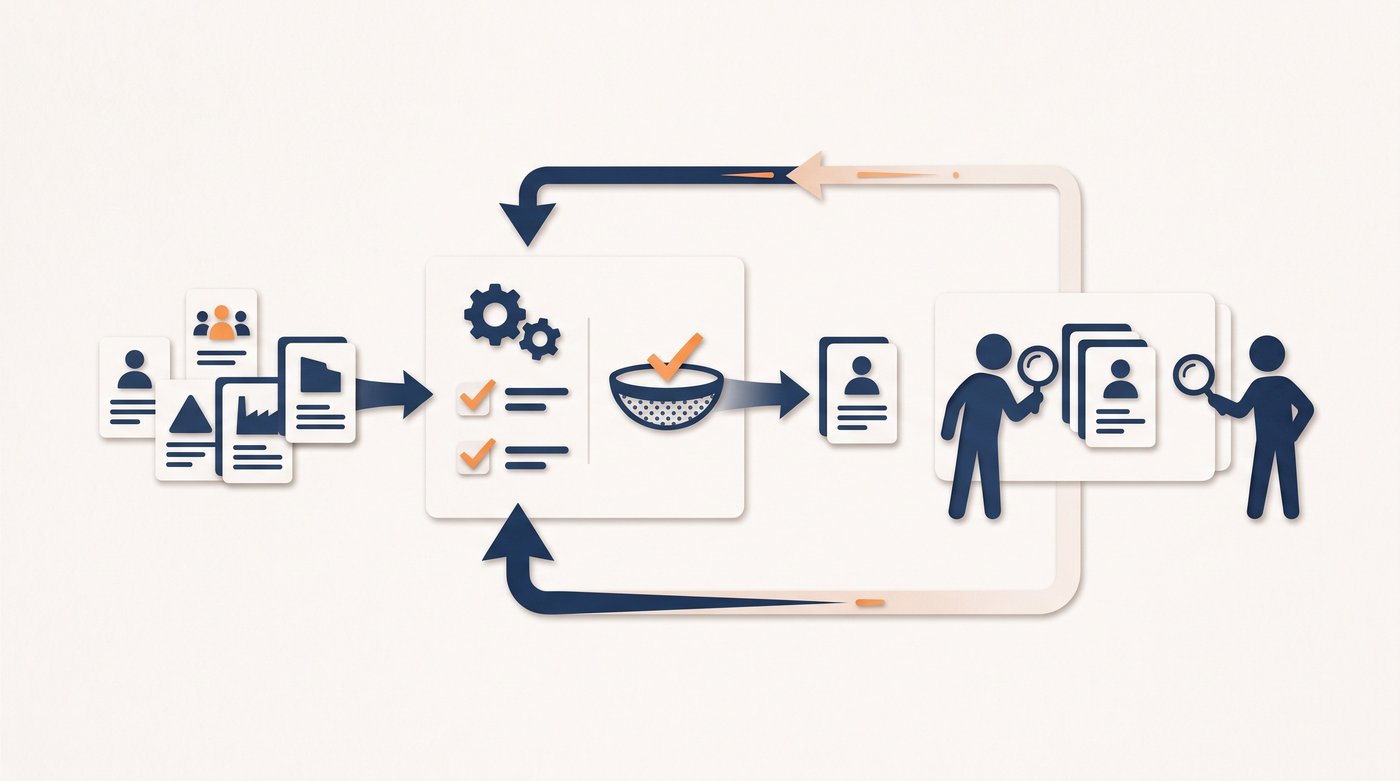
Start with one offer, one kind of client, and a small set of leads you already understand. To implement AI safely, write the rules, collect the same evidence for each person, and compare the tool's decision with your own. Fix repeated mistakes before you automate more research or let the result trigger contact.
Use this order:
- Define the company and person you want to serve in plain words.
- Write the hard exclusions and the facts that should stay unknown.
- Choose the sources the tool may read.
- Give it examples of good fits, bad fits, and unclear cases.
- Require the fixed result shown above.
- Compare its decisions with real replies, calls, clients, and clear losses.
Test ordinary leads, not only easy examples. Include an old title, a company with little public data, a person who discusses the topic but sells a competing service, and a strong company with no current evidence.
Mark two types of mistake. A false positive is a person the tool kept who turned out to be a poor fit or had no link to the problem. A false negative is someone the tool skipped who later became a good client or useful contact. These mistakes tell you which rule or source needs work.
Change one part at a time. If the tool keeps the wrong roles, fix the person rule. If good companies have no real problem, require stronger evidence. If the research is right but the suggested action is wrong, change the action rules rather than rebuilding the whole model.
During the pilot, run manual lead qualification on the same people and compare the reasons, not only the scores. This shows whether AI scoring improves the decision or simply produces a neater list.
Where should a person review AI scoring?
Keep human review when the evidence conflicts, important facts are missing, or one bad message could damage a useful relationship. Automation is strongest at repeated research. LinkedIn's 2025 AI research found that 38% of people who used AI to research leads and companies saved more than 1.5 hours a week. People are still better at reading an unusual situation, understanding history outside the system, and deciding how a conversation should begin.
Review these cases before contact:
- A high-value company or person you already know
- A result based mainly on a guess rather than a source
- Two sources that disagree about the person's role or company
- A sensitive problem, referral, partner, client, or former client
- An unclear next move or message that makes a strong claim
You do not need to review every field forever. Review heavily while you test the workflow, then reduce checks only where the same rule keeps working. Keep spot checks and a clear route for unknown cases.
The same principle applies to wider automation. The founder-led sales guide shows which repeated tasks can move to a tool and which decisions should stay close to the founder.
How Signado qualifies leads from LinkedIn activity
If opening profiles and reading comment threads takes up your morning, Signado does that repeated qualification work for you. It watches LinkedIn posts and comments around the keywords, creators, competitors, company pages, and posts you choose, then checks each person and company against your business profile.
Each lead arrives with the person, company, original words, fit score, reason, and a clear next move. You can see whether the person looks ready for a direct message, whether a useful public comment makes more sense, whether more research is needed, or whether the lead should be skipped.
That changes the work from "Who should I research today?" to "Which of these checked people deserves my time?" You can open the source, read the evidence, and make the final choice without rebuilding the research from several tabs.
The source scoreboard then compares which keywords, creators, and competitor audiences bring strong fits and which bring noise. That helps you improve the source of the leads instead of asking the model to score the same weak audience more carefully.
The warm lead methodology explains why the source, company fit, and next move belong together. You can also see how Signado finds and qualifies warm leads from LinkedIn conversations.
Common questions
Which leads should you qualify with AI first?
Start with leads that follow the same research pattern and come with sources the tool can check. Avoid starting with your most important accounts or unusual cases. A small, familiar lead list makes it easier to spot a bad rule before it affects more people.
How much data does AI lead qualification need?
A rules-based workflow can start with a small set of clear examples and current source data. Predictive scoring needs far more clean history because it learns from past results. In both cases, useful evidence matters more than a large list of weak fields.
Should AI contact a lead as soon as it qualifies them?
Not by default. Keep qualification and contact as separate steps until the rules work well on real leads. Review important accounts, unclear evidence, and sensitive messages before anything is sent.
How do you know if AI lead qualification is working?
Track how often the tool keeps poor fits, skips good fits, and gives a next move that matches the evidence. Then compare those results with useful replies, calls, and clients. A higher score alone does not prove that qualification improved.
Which AI lead qualification tool should a service business use?
The right AI lead qualification tool is the one that fits where your leads come from. Use a conversational agent for website or phone enquiries, a CRM scoring tool for existing records, or a custom workflow for unusual checks.
Use Signado when you want to find and qualify people from LinkedIn posts and comments, with the original words and next move kept beside each lead.
Test the decision before you automate the action
Take one short lead list and write the rules in plain words. Give the tool the source, person, company, and any useful history. Require evidence, missing facts, a reason, and a next move for every result.
Then compare those decisions with what happens next. Keep the rules that lead to useful conversations. Fix the ones that keep producing noise.
If LinkedIn research is the repeated part, start with Signado's checked warm leads and review each person's words before you reach out.
Qualify leads before you contact them
Check the person, company, need, and timing. Then choose what to do next.
Start with the lead qualification guideLand your next client with something relevant to say
Signado finds the people already talking about what you do on LinkedIn, and shows you what they actually said. You reach out with a reason they'll recognize.